Shared Hosting vs VPS vs Cloud Hosting Explained for Beginners
Choosing hosting can feel confusing when every provider promises speed, security, uptime, and “the best performance.”
But the real decision is simpler than it looks.
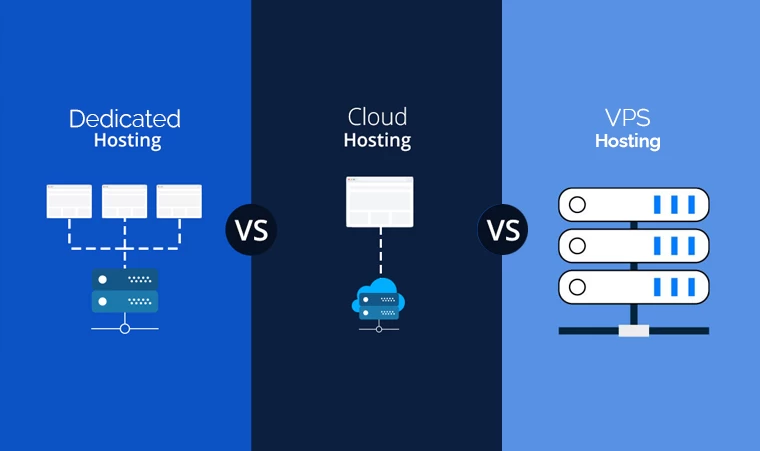
Your website needs a place to live online. Shared hosting, VPS hosting, and cloud hosting are three different ways to provide that space. The right choice depends on your website size, traffic, technical skill, budget, security needs, and growth plans.
A small business website in Cameroon does not need the same hosting setup as a banking platform, SaaS product, school portal, e-commerce marketplace, or media website with heavy traffic. Buying too little hosting can slow your site down. Buying too much can waste money and create technical stress.
The goal is not to choose the most advanced hosting. The goal is to choose the hosting your business can actually manage and benefit from.
What Is Shared Hosting?
Shared hosting means your website shares server resources with many other websites.
Think of it like renting one room in a large apartment building. You have your own space, but the building infrastructure is shared. Other websites use the same server’s processing power, memory, and storage environment.
Hostinger describes shared hosting as an ideal solution for beginners starting their online journey, which makes sense because shared hosting is usually affordable, simple, and easy to manage through a control panel or website builder. Hostinger’s shared hosting explanation is useful for beginners because it frames shared hosting as an entry-level option rather than a complex server-management decision.
Shared hosting is best for:
- small business websites
- blogs
- portfolios
- church websites
- association websites
- basic company pages
- simple WordPress sites
- early-stage projects
- low-traffic websites
For example, a salon in Douala, consultant in Yaoundé, photographer in Buea, or small restaurant in Limbe can often start with shared hosting if the website mainly includes pages, photos, service descriptions, a contact form, and a WhatsApp button.
Pros and Cons of Shared Hosting
Shared hosting is attractive because it is affordable and beginner-friendly. You do not need to manage server infrastructure, install advanced server software, or configure everything manually.
But shared hosting has limits.
Because resources are shared, performance can suffer if the server is crowded or if your website grows beyond the plan. You may also have less control over server configuration, caching, software versions, and advanced security settings.
Shared hosting is a good first step. It is not always a permanent solution.
Choose shared hosting when your priority is launching quickly and affordably.
Avoid shared hosting when your website has high traffic, custom software, heavy databases, advanced security needs, or business-critical uptime requirements.
What Is VPS Hosting?
VPS stands for Virtual Private Server.
A VPS still uses a physical server, but that server is divided into isolated virtual environments. Each VPS gets its own allocated resources, operating environment, and more control than shared hosting.
Hostinger explains that its VPS hosting is self-managed, meaning the user has more control but also more responsibility. Its guide on how and why to purchase VPS hosting makes clear that VPS hosting is more suitable when you need a dedicated environment and are prepared for server-level management.
VPS hosting is best for:
- growing websites
- busier WordPress sites
- web applications
- online communities
- business portals
- custom software
- staging environments
- agencies managing multiple projects
- websites needing more control
A VPS is like renting a private apartment in a bigger building. You still share the physical structure, but your space is more isolated and predictable.
Pros and Cons of VPS Hosting
The advantage of VPS hosting is control.
You can configure the server more deeply, install software, manage resources, and run more demanding websites. A VPS can be faster and more stable than shared hosting when managed properly.
The disadvantage is responsibility.
If your VPS is self-managed, you may need to handle updates, security hardening, backups, firewall rules, software configuration, and troubleshooting. Hostinger’s VPS documentation describes its VPS as a cloud self-hosting solution where Hostinger maintains the physical hardware, while the user manages the virtual server environment. Hostinger’s self-managed VPS guide is worth reading before beginners assume VPS is automatically easier than shared hosting.
Choose VPS hosting when your website has outgrown shared hosting and you have technical support.
Avoid VPS hosting if you are a beginner with no developer, no server-management experience, and no plan for maintenance.
What Is Cloud Hosting?
Cloud hosting uses cloud infrastructure instead of depending on one traditional physical server.
In simple terms, your website or application can use resources from a network of cloud infrastructure. This can improve scalability, flexibility, and availability when configured correctly.
Google Cloud’s cloud hosting explanation explains that cloud hosting allows websites and applications to use cloud-based infrastructure and can connect with services such as domains, content delivery networks, and scalable hosting resources.
Cloud hosting is best for:
- fast-growing websites
- e-commerce stores
- SaaS products
- apps
- online platforms
- high-traffic media sites
- businesses with variable traffic
- companies needing scalable infrastructure
- projects with developers or technical teams
Google Cloud’s broader guide to cloud computing explains that cloud computing commonly includes infrastructure, platform, and software service models, and that one benefit is paying for what you use. That flexibility is useful for growing businesses, but it also requires cost control and technical planning.
Pros and Cons of Cloud Hosting
Cloud hosting is powerful because it can scale.
If your traffic increases, cloud infrastructure can often be adjusted more flexibly than traditional hosting. This is useful for online stores during promotions, media sites during viral traffic, SaaS platforms with growing users, or businesses serving multiple locations.
But cloud hosting can be more complex.
Costs may vary depending on usage. Setup may require developers. Security, backups, monitoring, databases, and deployment processes may need careful configuration. Cloud hosting is not automatically simple just because it is modern.
Choose cloud hosting when growth, flexibility, reliability, and scalability matter.
Avoid cloud hosting if you need only a simple website and do not have the budget or technical support to manage it properly.
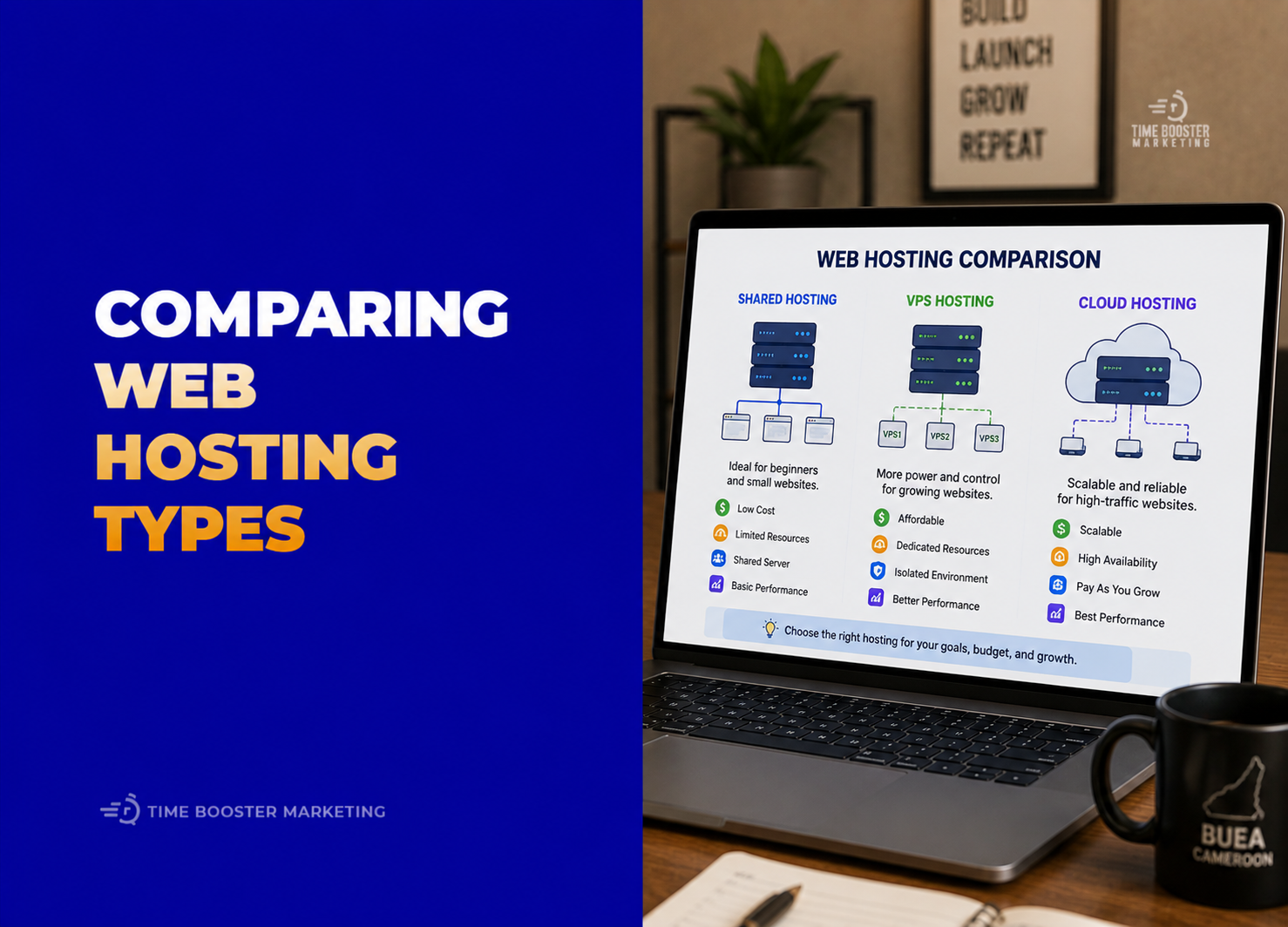
Shared Hosting vs VPS vs Cloud Hosting: The Simple Comparison
Shared Hosting
Shared hosting is best when you are just starting.
It is affordable, easy to use, and suitable for small websites. The tradeoff is limited control, shared resources, and lower scalability.
Use it for simple business websites, blogs, portfolios, and low-traffic pages.
VPS Hosting
VPS hosting is best when you need more control and predictable resources.
It is stronger than shared hosting but requires more technical responsibility. The tradeoff is maintenance and server management.
Use it for growing websites, custom projects, agencies, and businesses with technical support.
Cloud Hosting
Cloud hosting is best when scalability and flexibility matter.
It can support bigger applications, higher traffic, and more complex infrastructure. The tradeoff is complexity and cost management.
Use it for e-commerce, SaaS, platforms, large websites, and serious growth projects.
How to Choose the Right Hosting for Your Business

Start with your website stage.
If you are launching your first website, choose shared hosting. You need speed, simplicity, and affordability more than advanced infrastructure.
If your website is getting slower, receiving more traffic, using more plugins, or supporting serious business operations, consider VPS hosting.
If your website is becoming a digital product, customer portal, e-commerce engine, media platform, or fast-growing application, consider cloud hosting.
Also consider your team.
If nobody can manage server security, backups, updates, and technical issues, do not rush into VPS or cloud hosting without support. A badly managed VPS can be worse than a well-managed shared hosting plan.
Hosting Decision Framework for Beginners
Use this simple framework:
Choose shared hosting if:
You need a simple website, your budget is limited, traffic is low, and you want easy management.
Choose VPS hosting if:
You need more power, custom configuration, better isolation, and you have a developer or technical support.
Choose cloud hosting if:
You expect growth, variable traffic, advanced integrations, stronger scalability, or application-level infrastructure.
The question is not, “Which hosting is best?”
The better question is, “Which hosting matches my current business risk?”
Common Hosting Mistakes to Avoid
Do not buy the cheapest plan without checking renewal pricing.
Do not choose VPS because it sounds professional if you cannot manage it.
Do not choose cloud hosting just because big companies use it.
Do not ignore backups.
Do not host a serious business website without SSL.
Do not use hosting with poor support if your website affects sales.
Do not wait until your site crashes before upgrading.
Do not assume hosting alone will make your website fast; design, images, plugins, caching, and code quality also matter.
The Best Hosting Is the One That Fits Your Stage
Shared hosting, VPS hosting, and cloud hosting all have a place.
Shared hosting helps beginners launch affordably. VPS hosting gives growing websites more control and resources. Cloud hosting supports scalable, flexible, and more advanced digital projects.
For most small businesses, shared hosting is the right starting point. For growing companies with traffic and technical support, VPS becomes useful. For businesses building serious platforms, cloud hosting may be the better long-term foundation.
Start simple. Upgrade when the business need is real. Hosting should support growth, not create unnecessary complexity before your website is ready for it.