How to Get Your Business on Google Maps in Cameroon
When customers search for a business in Cameroon, many do not start by asking for a flyer. They search on Google.
They type things like “restaurant near me,” “hotel in Bonapriso,” “dentist in Yaoundé,” “salon in Buea,” “real estate agency Douala,” or “printing service near Akwa.” If your business does not appear on Google Maps, you may lose customers who are already nearby and ready to contact, visit, book, or buy.
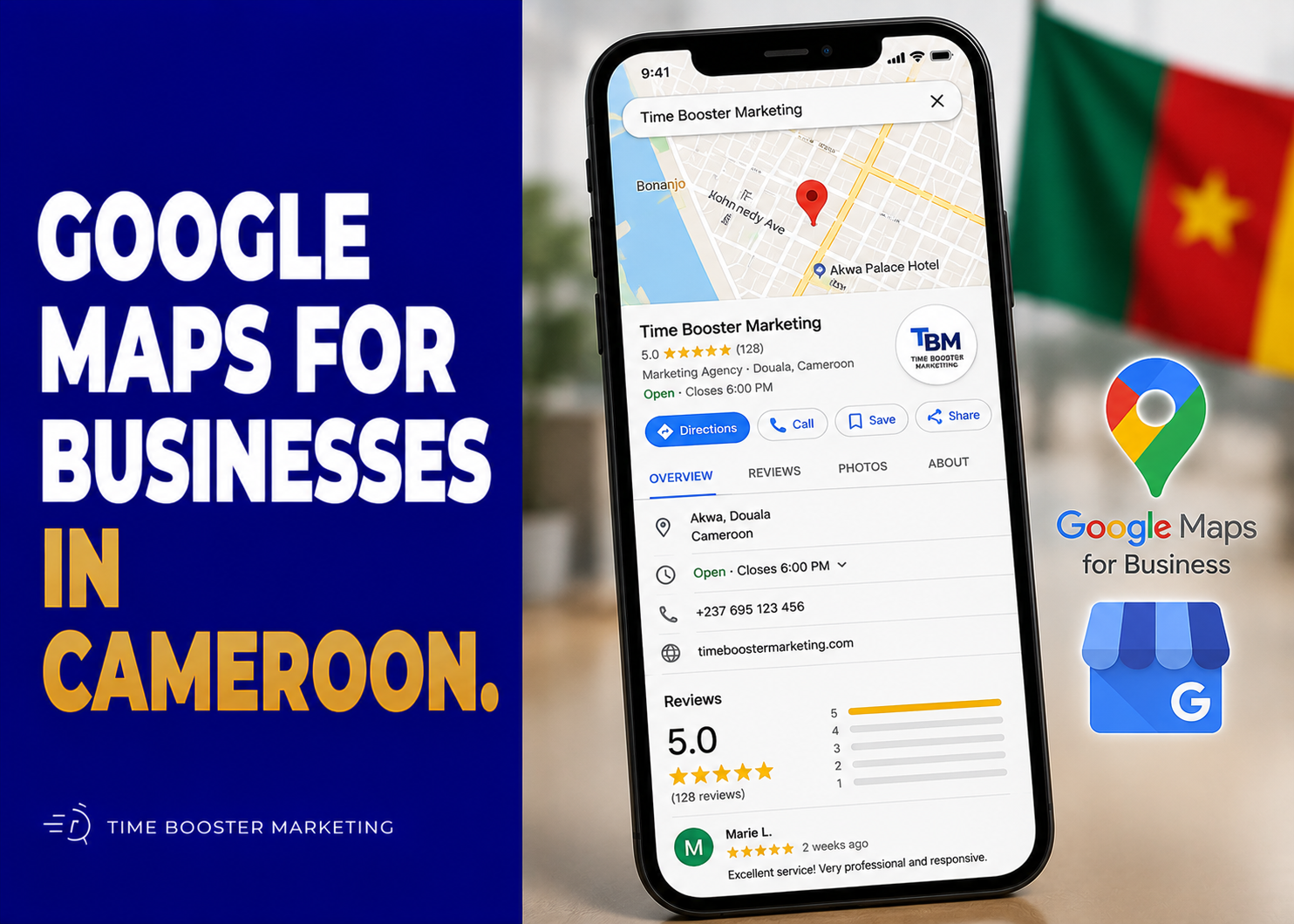
Google Maps visibility starts with a Google Business Profile.
Google describes Business Profile as a free way for businesses to appear on Google Search and Maps, helping customers find information such as location, hours, photos, and contact details. You can start from Google’s official Business Profile page or manage your listing through Google Search and Maps once it is created.
Why Google Maps Matters for Businesses in Cameroon
A Google Maps listing gives your business a public local identity.
For Cameroonian SMEs, this matters because trust is often built before the customer arrives. A customer may first check whether your location exists, whether your phone number works, whether your reviews look real, whether your photos match your offer, and whether your opening hours are clear.
This is especially important for:
- restaurants and lounges
- salons and spas
- clinics and pharmacies
- schools and training centers
- hotels and guest houses
- real estate offices
- law firms and consultants
- gyms and fitness centers
- shops and boutiques
- churches, NGOs, and associations
- mechanics, plumbers, electricians, and local service providers
A complete Google Maps presence reduces doubt. It helps customers move from “I heard about this business” to “I can find and contact them.”
Step 1: Create or Claim Your Google Business Profile
Start by checking whether your business already exists on Google Maps.
Search for your business name on Google Search or Google Maps. If the profile already exists, you may see an option such as “Claim this business” or “Own this business?” If it does not exist, you can create a new profile.
Google’s official guide on how to add or claim your Business Profile explains that after you successfully add or claim a profile, you can control how your business information appears across Google.
Use the exact business name customers know. Do not stuff keywords into the name.
A bad name would be:
Best Cheap Restaurant Douala Cameroon Affordable Food Akwa
A better name would be:
Mama Grace Restaurant
Google’s Business Profile guidelines require businesses to represent themselves accurately, including using real-world business names and eligible locations or service areas. Ignoring these guidelines can lead to edits, restrictions, or removal from Google.
Step 2: Enter Accurate Business Information
Your Google Business Profile should match your real business information.
Add:
- business name
- business category
- address or service area
- phone number
- website
- WhatsApp link where appropriate
- opening hours
- holiday hours
- business description
- products or services
- photos
- attributes where available
For Cameroon, location accuracy is especially important because street addressing may not always be clear. Google’s guidelines allow businesses to include nearby landmarks or cross-streets in regions where the official street address does not accurately pinpoint the location. That is useful for businesses that depend on well-known local references such as roundabouts, junctions, markets, schools, fuel stations, or neighborhoods.
Example:
Located near Molyko Stadium, Buea
Beside Total Bonamoussadi, Douala
Opposite the main market entrance, Bamenda
Use landmarks to clarify, not to manipulate.
Step 3: Choose the Right Business Category
Your category helps Google understand what your business is.
A restaurant should not choose “consultant.” A dental clinic should not choose “beauty salon.” A real estate agency should not choose “general business.” Categories help your profile appear for relevant local searches.
Google’s guidelines explain that categories help customers find accurate and specific results for the services they need.
Choose one primary category that best represents your main business. Then add secondary categories only when they are genuinely relevant.
For example:
Primary category: Restaurant
Secondary categories: Caterer, Event venue
Or:
Primary category: Real estate agency
Secondary categories: Property management company, Real estate consultant
The goal is accuracy. Do not add unrelated categories because you think they will bring more traffic. Irrelevant visibility does not create serious customers.
Step 4: Verify Your Business
Creating a profile is not enough. You need verification.
Google’s guide on how to verify your business explains that verification methods are automatically determined by Google and cannot be changed manually. Depending on the business, verification may involve methods such as phone, email, video, live video call, or postcard, and Google says review after verification may take up to five business days.
For Cameroonian businesses, prepare before verification.
You may need:
- visible storefront signage
- proof of location
- business documents
- access to the phone number
- access to the business email
- photos or video showing the business premises
- equipment, inventory, or service proof
- evidence that you are authorized to manage the business
Do not rush this step. If Google asks for video verification, show the real business location, signage, entrance, workspace, tools, products, and proof that you manage the business.
Step 5: Add Photos and Videos
Photos make your business feel real.
Google’s official guide on managing Business Profile photos and videos explains that businesses can add photos and videos of their storefront, products, and services to complete the profile and make it more attractive to customers.
Upload:
- exterior photo
- interior photo
- logo
- cover photo
- team photo
- product photos
- service photos
- menu photos
- room photos for hotels
- before-and-after photos where appropriate
- short videos showing the business environment
For Cameroon, photos help reduce uncertainty. A customer trying to choose between two salons, restaurants, clinics, or guest houses will often trust the one that looks clearer, more active, and more verifiable.
Do not use stolen stock photos. Use real images from your business.
Step 6: Add Services, Products, and Descriptions
Your profile should not only show your name and location. It should explain what you sell.
If you are a service business, add services inside your profile. Google’s guide on managing services on your Business Profile explains that services may be highlighted when local customers search Google for something your business offers.
A salon can list braids, hair treatment, makeup, manicure, pedicure, and bridal styling.
A clinic can list consultation, laboratory testing, dental care, physiotherapy, or vaccination services where relevant.
A real estate agency can list property sales, rentals, land search, property management, and relocation support.
A marketing agency can list SEO, website design, WhatsApp marketing, Meta ads, and Google Business Profile optimization.
Use plain language customers actually search.
Step 7: Request and Manage Reviews
Reviews influence trust.
Google says reviews show next to your Business Profile in Maps and Search and can help your business stand out by giving potential customers helpful information. Google also provides a way to create a review link or QR code that businesses can share with customers.
After completing a successful service, ask politely:
Thank you for choosing us. Could you please leave a short Google review about your experience? It helps other customers find and trust our business.
Google’s guide on how to create a Google review link or QR code notes that businesses can share review requests through channels such as email, WhatsApp message, or Facebook post.
Do not buy fake reviews. Do not offer discounts in exchange for positive reviews. Do not ask staff to pretend to be customers. Fake review activity can damage trust and may violate Google policies.
Reply to reviews professionally. Thank happy customers. Respond calmly to complaints. A negative review handled well can still show maturity and accountability.
Step 8: Improve Local SEO Beyond the Profile
Google says local results are mainly based on relevance, distance, and prominence. Its official local ranking guide explains that complete and detailed business information helps Google better understand your business and match it to relevant searches.
That gives you three practical priorities.
Relevance
Make your profile match what customers search.
Use accurate categories, detailed services, good descriptions, clear products, and useful photos.
Distance
Google considers how close your business is to the searcher or the searched location. You cannot manipulate this honestly. Instead, make your real location or service area clear.
Prominence
Prominence relates to how well-known and trusted the business appears. This can be supported by reviews, website mentions, local citations, backlinks, press coverage, directories, and consistent business information across the web.
Your Google Maps ranking is not improved only inside Google Business Profile. Your website, social pages, directory listings, reviews, and local reputation all help customers and search engines understand your business.
Step 9: Connect Your Website and WhatsApp
A strong Google Maps profile should connect to your wider sales system.
Add your website if you have one. On the website, create location-specific pages such as:
Dental Clinic in Bonamoussadi
Restaurant in Bastos Yaoundé
Website Design Agency in Douala
Guest House in Buea
Make sure the business name, address, and phone number match your Google profile.
Also add a WhatsApp contact option where appropriate. Many Cameroonian customers prefer to ask questions on WhatsApp before visiting or paying. Google Maps may create discovery, but WhatsApp often closes the conversation.
Step 10: Monitor Performance
Do not set up your Google Business Profile and forget it.
Google’s Business Profile performance guide explains that business owners can check performance data when signed into the Google Account linked to the profile. These insights help you understand how customers discover and interact with your listing.
Track:
- search views
- map views
- phone calls
- website clicks
- direction requests
- photo views
- popular search terms
- review growth
- customer actions
If people view your profile but do not call, your photos, reviews, offer, or contact details may be weak. If people request directions but do not buy, the problem may be service experience, pricing, signage, staff behavior, or follow-up.
Local SEO is not only ranking. It is the full journey from search to customer action.
Google Maps Setup Checklist for Cameroonian Businesses
Before announcing your listing, confirm:
- business name is accurate
- category is correct
- address or service area is clear
- phone number works
- website link works
- WhatsApp contact is easy to find
- opening hours are updated
- photos are real and recent
- services or products are listed
- verification is complete
- reviews are being requested ethically
- staff know how to respond to calls and messages
- profile performance is checked monthly
This checklist helps prevent the most common problem: appearing on Google Maps but failing to convert searchers into customers.

Get Found, Then Earn the Visit
Getting your business on Google Maps in Cameroon is one of the most practical local SEO steps you can take.
It helps customers find your location, confirm your hours, see your photos, read your reviews, call your number, visit your website, request directions, and decide whether to trust you.
But Google Maps is not a magic shortcut. A weak profile with poor photos, wrong hours, no reviews, unclear services, and inconsistent contact details will not perform well.
Create or claim your Google Business Profile. Verify it properly. Use accurate categories. Add real photos. List your services. Request honest reviews. Connect your website and WhatsApp. Review your performance every month.
The businesses that win locally are not only the ones that appear on the map. They are the ones that make customers confident enough to visit, call, book, or buy.