
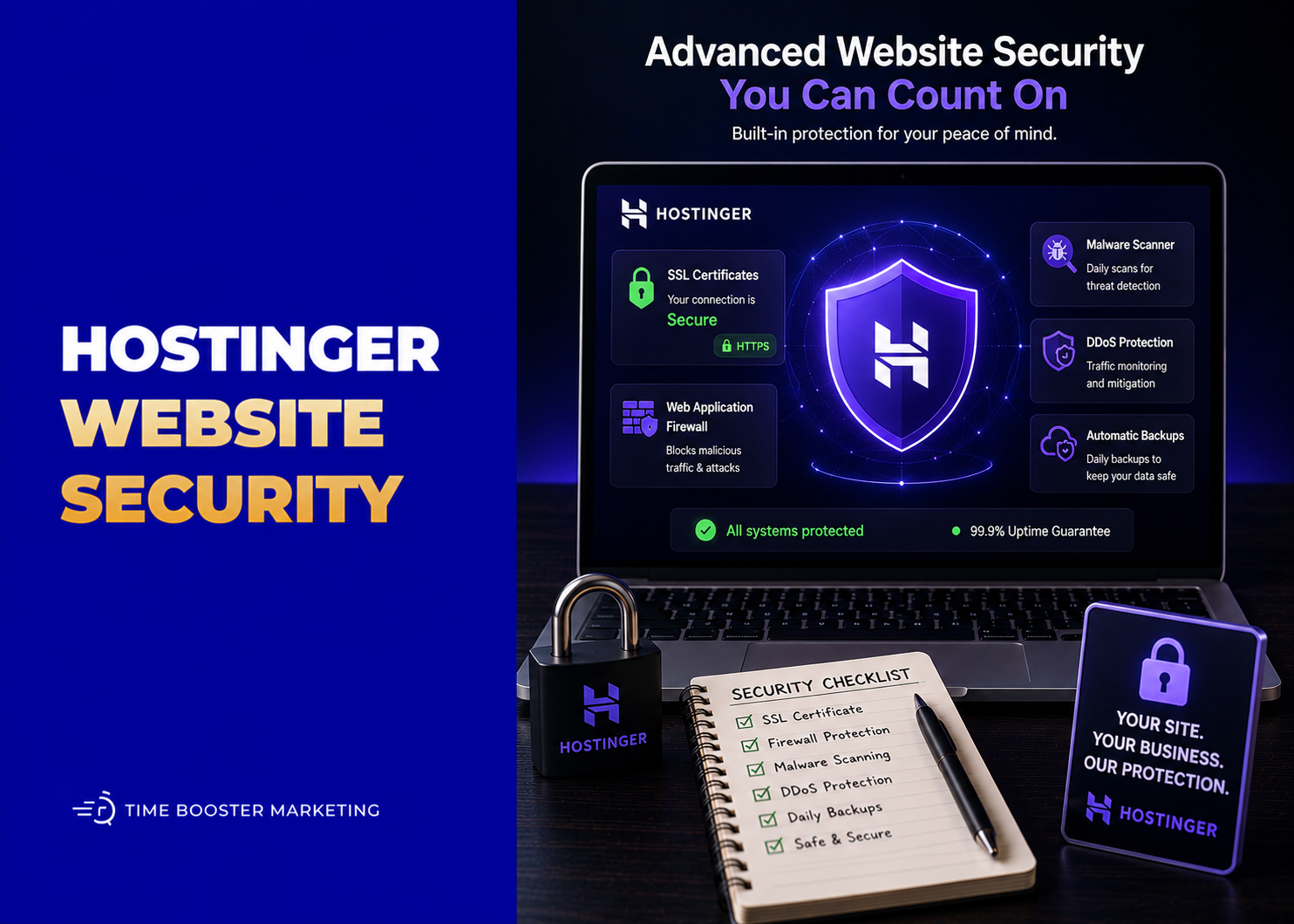
Hostinger Security Features Explained
Website security is not only a technical issue.

For a small business, a hacked website can damage trust, interrupt sales, expose customer information, affect Google visibility, and make visitors afraid to contact you. If your website supports bookings, enquiries, payments, product catalogs, blog traffic, or customer communication, security should be part of your business operations.
Hostinger includes several security features designed to reduce common website risks. These include SSL certificates, automatic backups, malware scanning, server protection, firewall systems, WordPress security tools, and access management. Hostinger’s own security measures guide says it uses firewall protection, anti-malware protection on endpoints and servers, access controls, and backup recommendations to help protect websites and user data.
The important point is this: Hostinger can help protect your website, but it cannot replace responsible website management.
What Hostinger Security Features Are Designed to Do
Hostinger security tools help with four main problems.
First, they help protect data moving between visitors and your website through SSL and HTTPS.
Second, they help recover from mistakes, hacks, failed updates, or accidental deletions through backups.
Third, they help detect harmful files through malware scanning.
Fourth, they help reduce risk through server-level protection, WordPress update tools, and controlled account access.
For beginners, this matters because most small-business websites are not attacked because they are famous. They are attacked because they are easy targets: weak passwords, outdated plugins, abandoned WordPress themes, poorly managed access, or missing backups.
1. SSL Certificates and HTTPS
SSL is one of the most basic website security requirements.
An SSL certificate helps encrypt data exchanged between your website and visitors. This is what allows your website to use HTTPS instead of plain HTTP. Hostinger’s SSL introduction explains that SSL uses encryption to protect sensitive information transmitted over the internet.
Hostinger says free SSL certificates are automatically installed when you add a domain, create a subdomain, or park a domain on eligible hosting plans. Its guide on claiming free SSL explains the automatic installation process.
For a business website, HTTPS helps protect forms, login pages, customer enquiries, and browsing sessions. Google’s Why HTTPS matters guide also explains that HTTPS protects both website security and user privacy.
A website without HTTPS can look unsafe to visitors, especially when browsers show “Not secure” warnings.
2. Backups for Recovery
Backups are your safety net.

A backup can help restore your website if a plugin update breaks the site, someone deletes important files, malware damages pages, or a developer makes a mistake. Hostinger’s backups management documentation includes guides for creating, downloading, restoring, and managing backups for websites and hosting accounts.
Backups matter because prevention is never perfect. Even secure websites can experience errors, failed updates, accidental deletions, or compromised files.
For business owners, the practical rule is simple: before making major changes to your website, check that a recent backup exists. This is especially important before updating WordPress, changing themes, installing new plugins, editing code, or migrating a website.
Do not treat backups as something you only think about after disaster. By then, it may be too late.
3. Malware Scanner

Malware is malicious software or harmful code that can infect your website.
A hacked site may redirect visitors, inject spam links, display fake pages, steal information, or trigger browser warnings. Hostinger’s Malware Scanner is an automated tool in hPanel that scans hosting accounts for harmful or compromised files. Hostinger says the scanner can detect and clean malicious files, but it does not scan or clean website databases.
That limitation is important.
If malware is inside a WordPress database, such as injected content in posts, users, options, or other database tables, file scanning alone may not fully solve the problem. In more serious cases, you may need to restore a clean backup, remove suspicious users, update passwords, reinstall clean files, inspect plugins, and involve a security professional.
Google’s Search Console documentation explains that security issues can cause warning labels in search results or browser warnings when users try to visit affected pages. That means malware can damage both trust and search visibility.
4. WordPress Automatic Updates
WordPress websites are powerful, but they require maintenance.
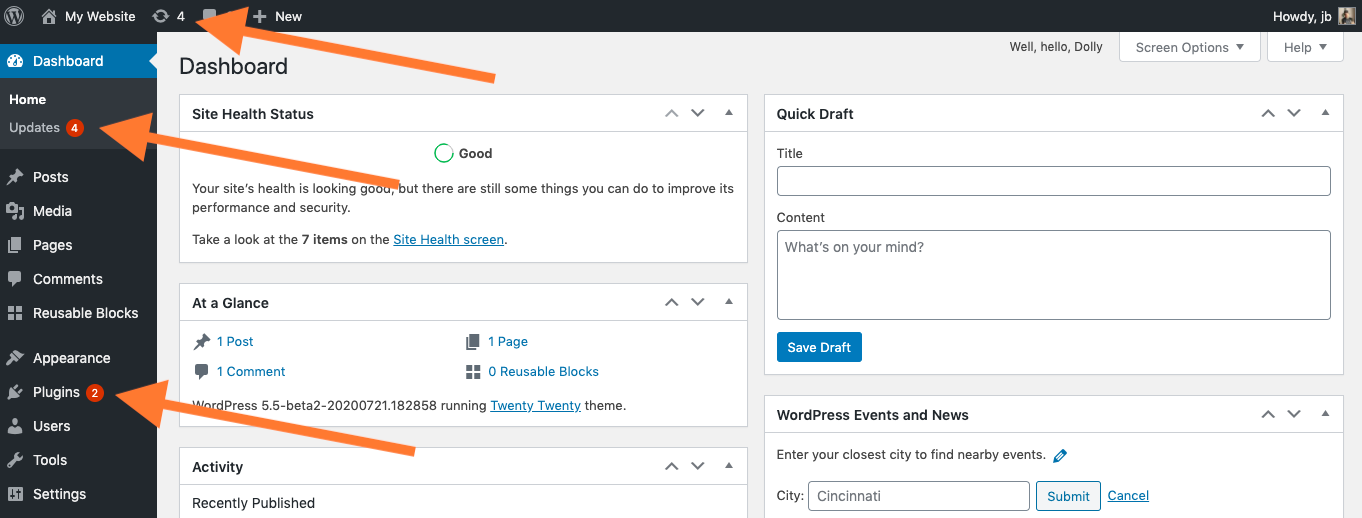
Many security problems come from outdated WordPress core files, plugins, or themes. Hostinger’s guide on automatic WordPress updates explains that users can manage automatic updates through hPanel, including options for WordPress core, themes, and plugins.
This is useful because many small businesses forget to update their websites after launch.
However, automatic updates should be used carefully. Some plugin or theme updates can break layouts, forms, payment features, or custom functions. The safer approach is to combine automatic updates with backups and regular testing.
For important business websites, update in this order: create or confirm a backup, update one major area at a time, test the homepage, test forms, test checkout or booking features, and check mobile display.
5. Firewall and Server Protection
Hostinger also provides server-level security measures.
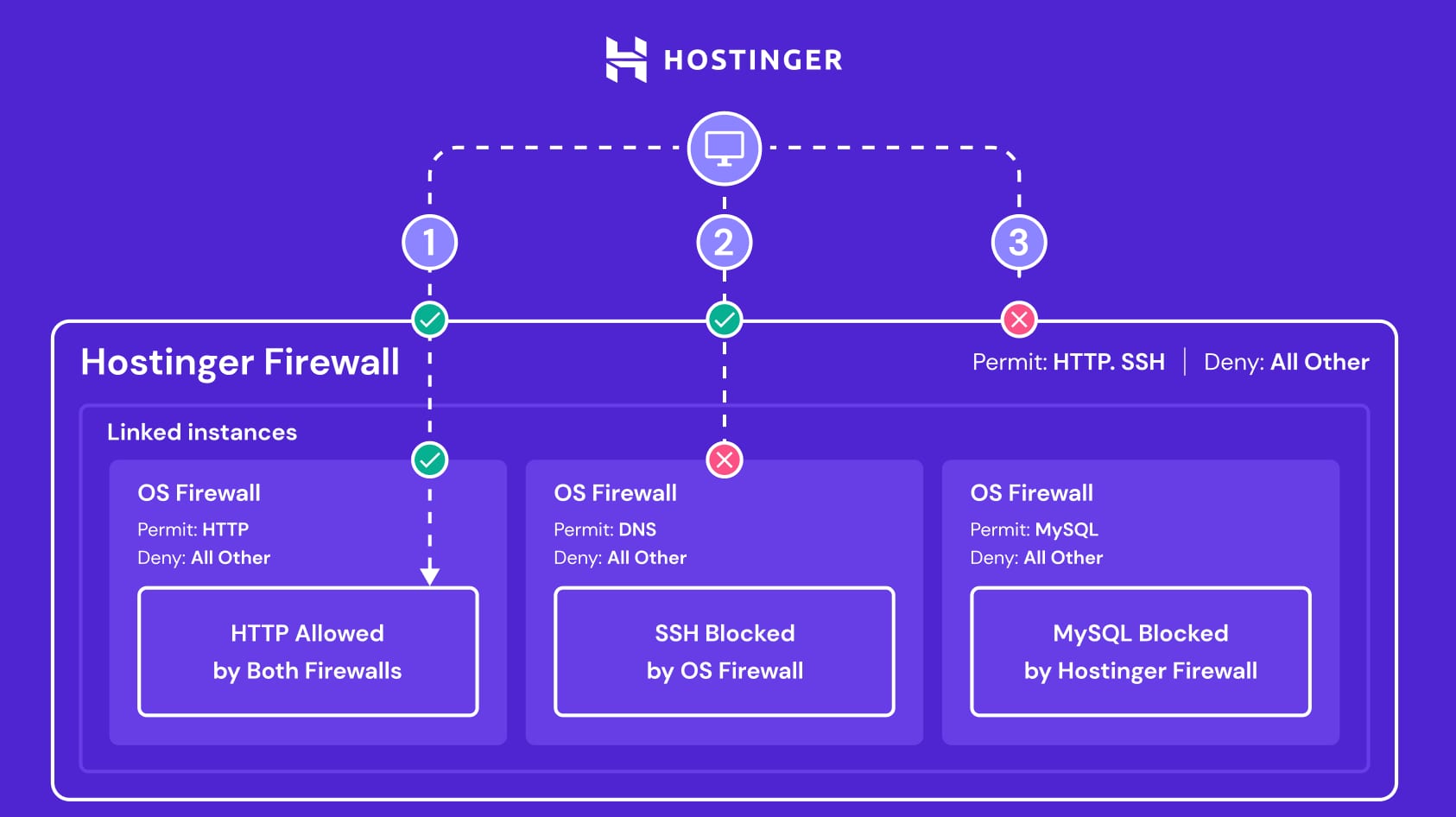
Its security documentation mentions firewall protection, anti-malware protection on endpoints and servers, and other measures designed to protect the hosting environment.
This matters because hosting security is not only about your WordPress dashboard. Attacks can target servers, accounts, files, login systems, and infrastructure. Server-level protection helps reduce risk before threats reach your website.
Still, firewall protection does not mean your website is impossible to hack. If you use weak passwords, outdated plugins, pirated themes, suspicious scripts, or careless admin access, you can still create vulnerabilities.
Think of hosting security like a locked building. If you leave your own office door open, the building security alone cannot protect everything.
6. Access Manager and Account Control
One common website security mistake is sharing login details.
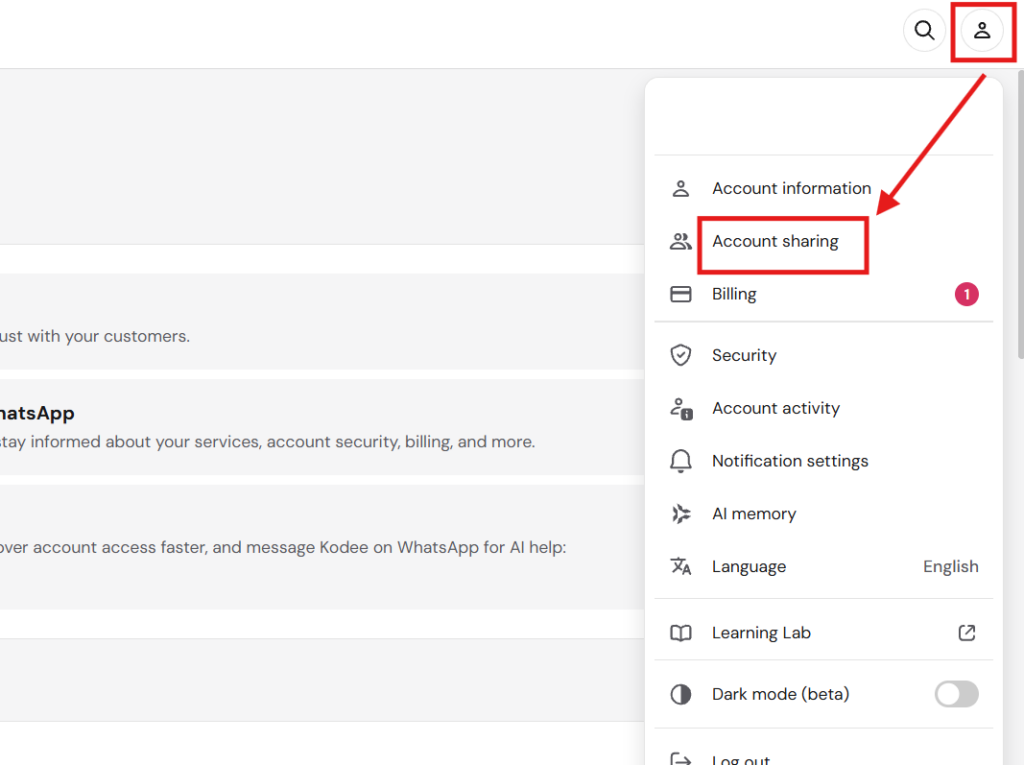
Business owners often give developers, assistants, marketers, or freelancers the main hosting password. This is risky because it removes accountability. If something breaks, you may not know who did it. If a collaborator leaves, they may still have access.
Hostinger recommends using Access Manager to safely provide collaborator access instead of sharing account credentials. Its security measures guide specifically points users toward access controls for safer collaboration.
For a business, this is essential.
Give people only the access they need. Remove access when a project ends. Do not share the owner password by WhatsApp. Do not let every staff member log in with the same account. Use strong passwords and two-factor authentication wherever available.
7. Email and Domain Security
If your business uses domain email through Hostinger, email security also matters.
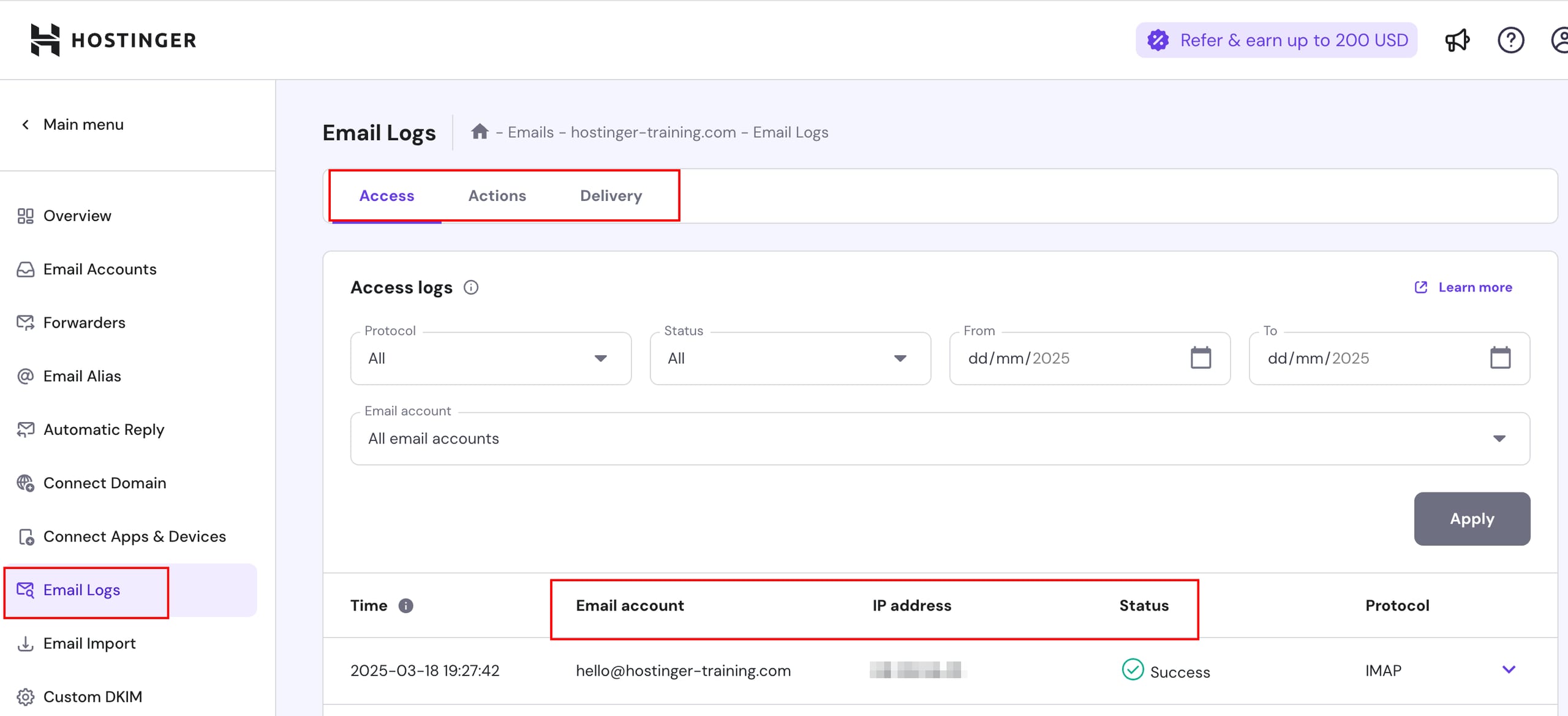
A compromised email account can expose invoices, client conversations, reset links, password recovery messages, and business negotiations. Hostinger’s security materials mention protection against spam, viruses, malware, phishing attempts, and other email security risks for email accounts.
For entrepreneurs, email security is connected to website security. If someone controls your business email, they may be able to reset website passwords, deceive customers, or impersonate your brand.
Use strong passwords, avoid shared inbox credentials where possible, review suspicious forwarding rules, and train staff to recognize phishing.
What Hostinger Cannot Do for You
Hostinger provides useful security tools, but some responsibilities remain yours.
Hostinger cannot make weak passwords strong. It cannot guarantee that every plugin you install is safe. It cannot stop you from giving admin access to the wrong person. It cannot rewrite insecure custom code. It cannot protect a WordPress site that is never updated. It cannot replace business policies for staff access, backups, and content management.
You still need to:
- use strong passwords
- enable two-factor authentication where available
- update WordPress, themes, and plugins
- remove unused plugins and themes
- avoid pirated templates
- limit admin users
- download backups before major changes
- monitor forms and redirects
- review Search Console security warnings
- use reputable plugins and developers
Security is shared responsibility. Hostinger secures the hosting environment and provides tools. You must manage your website responsibly.
Practical Hostinger Security Checklist
Start with the basics.
Make sure your SSL certificate is active and your website loads through HTTPS.
Confirm that backups are enabled and learn how to restore them before an emergency happens.
Check the Malware Scanner in hPanel and review any alerts seriously.
Enable WordPress automatic updates carefully, especially for security updates.
Remove unused plugins, themes, test files, old admin accounts, and abandoned staging sites.
Use Access Manager for collaborators instead of sharing your main Hostinger login.
Change passwords after a developer, employee, or freelancer leaves.
Connect your site to Google Search Console so you can see security, indexing, and performance issues.
Keep a record of who has access to hosting, WordPress, email, domain, analytics, and payment systems.
Is Hostinger Security Enough for a Business Website?
For many small business websites, Hostinger’s built-in security features are a strong foundation.
SSL, backups, malware scanning, WordPress update controls, firewall protection, and access management cover many beginner-level risks. A simple business website, blog, portfolio, or landing page can be reasonably protected when these tools are used properly.
But if your website handles payments, customer accounts, sensitive data, bookings, medical information, financial records, or high-volume transactions, you may need stronger security planning. That can include professional maintenance, premium security plugins, web application firewall configuration, uptime monitoring, audit logs, staging environments, stricter access control, and developer support.
The more your website affects revenue and customer trust, the more seriously you should treat security.
Website Security Protects Trust
Hostinger security features help reduce website risk, but they are not automatic business protection.
SSL protects data in transit. Backups help you recover. Malware scanning helps detect harmful files. WordPress updates reduce known vulnerabilities. Server protection helps defend the hosting environment. Access Manager reduces password-sharing risk.
But your habits still matter.
A secure website is maintained, monitored, updated, backed up, and controlled. For small businesses, that discipline protects more than files. It protects trust, enquiries, search visibility, sales, and your brand reputation.
Hostinger gives you useful tools. The business advantage comes from using them before something goes wrong.