LinkedIn Features Guide Cameroon: Tools Most Professionals Have Never Tried
Most Cameroonian LinkedIn users understand the basics. They connect, scroll, like posts, comment occasionally, and check job updates.
That is not wrong, but it is limited.
LinkedIn is more than a digital CV and connection list. It has features that can help you showcase your best work, grow a professional audience, publish deeper ideas, host expert conversations, and understand which topics make people pay attention to your profile.
According to DataReportal’s Digital 2026 Cameroon report, LinkedIn had about 1.6 million registered members in Cameroon in late 2025. That does not mean every member is active daily, but it shows that LinkedIn has a meaningful professional audience locally.
The opportunity is clear: while many users only scroll, you can use the platform’s deeper tools to become easier to find, trust, and remember.
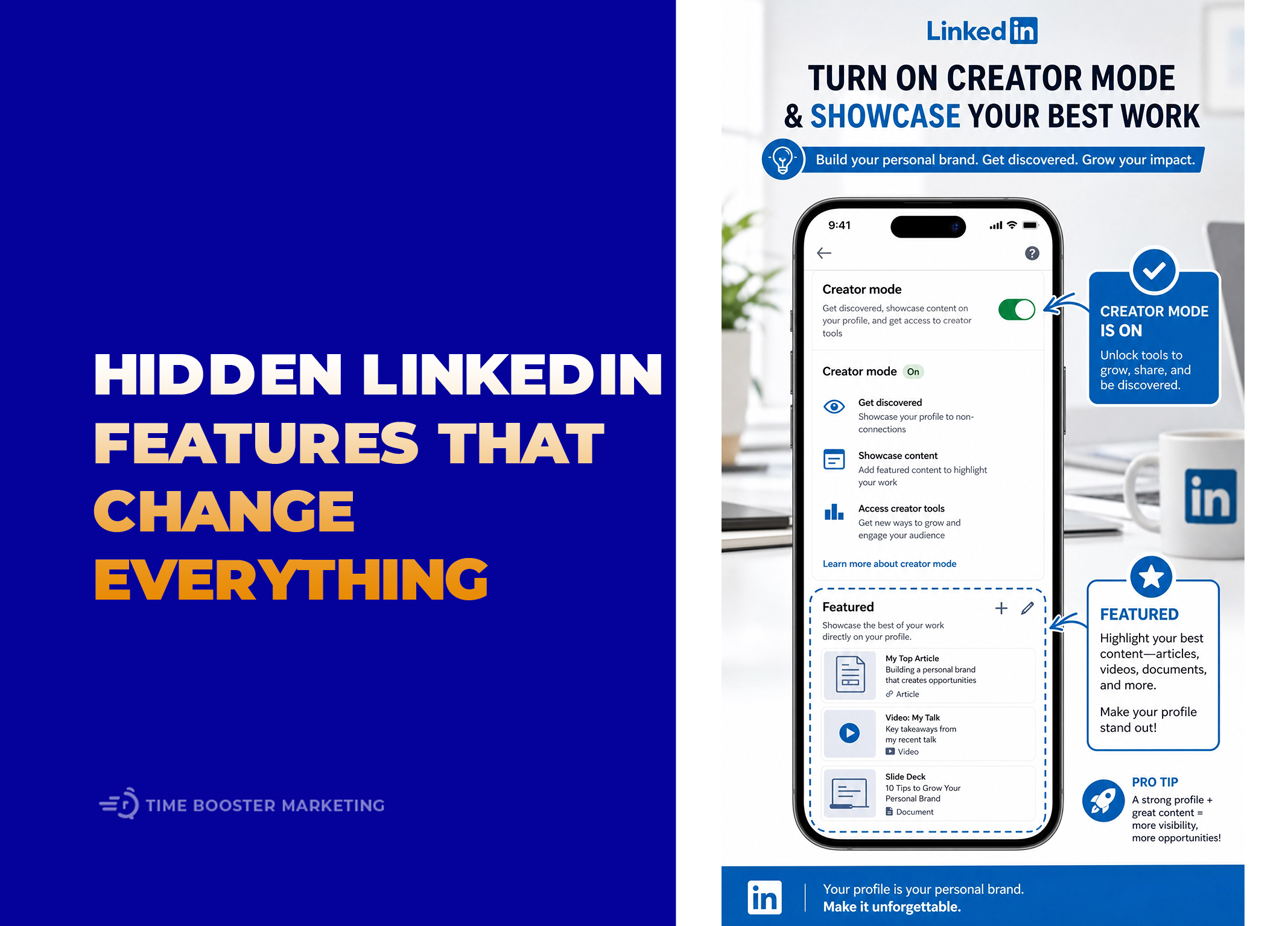
1. Creator Mode Has Changed, but Creator Tools Still Matter
Many people still talk about “Creator Mode,” but LinkedIn changed how it works.
LinkedIn’s official Updates to Creator Mode page explains that the creator mode on/off toggle was removed in March 2024. It also notes that users can still choose whether Follow or Connect appears as the primary action on their profile.
This matters because some Cameroonian professionals may search for Creator Mode and think they cannot access creator tools anymore. The better way to think about it is this: LinkedIn no longer requires the old Creator Mode switch, but you can still use content and profile tools to build reach.
What the Follow Button Changes
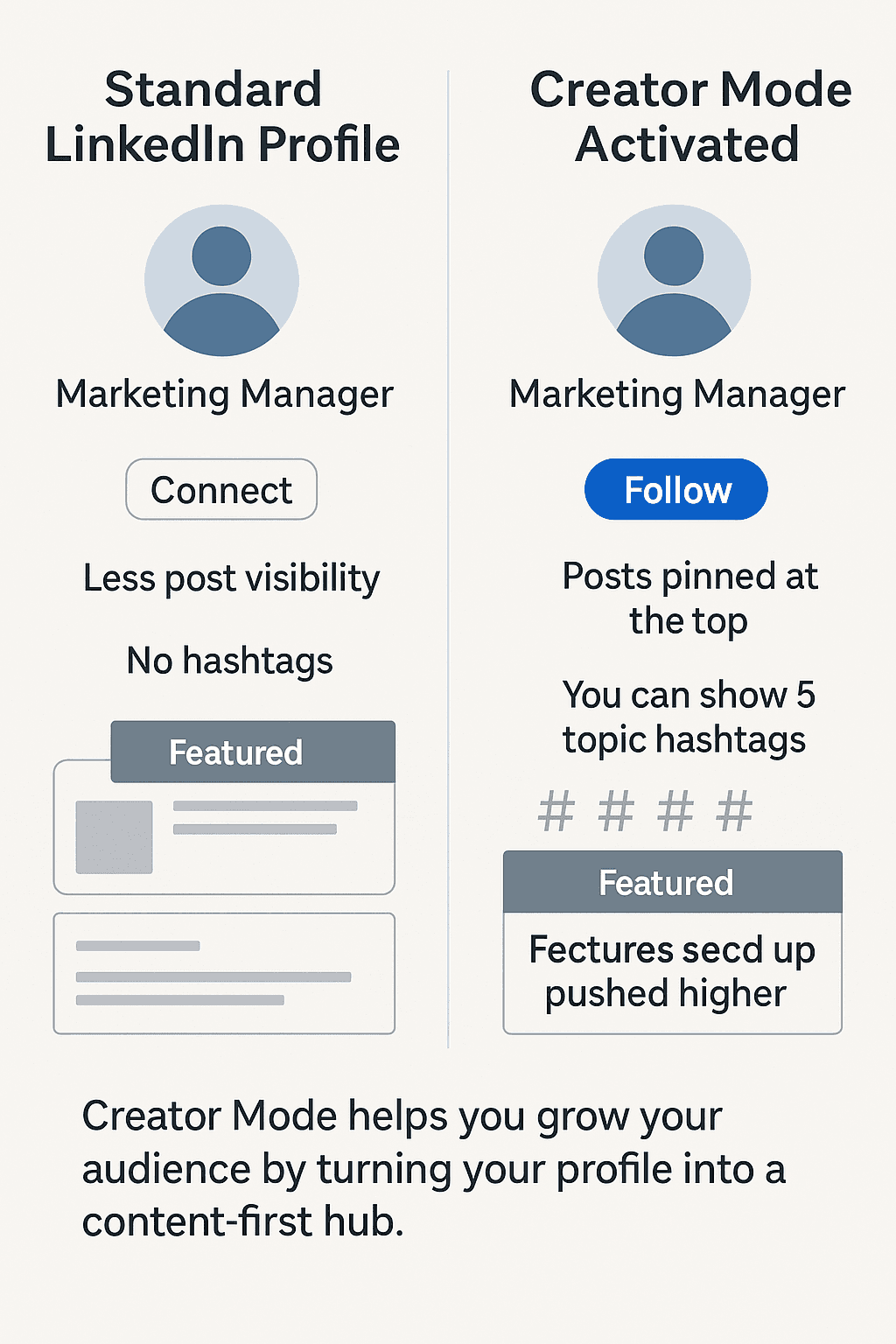
When your main profile action is Follow, people can receive your content without becoming first-degree connections. This is useful if you publish regularly and want your audience to grow beyond people you personally know.
For example, a Cameroonian HR consultant who posts weekly about hiring, employee onboarding, and workplace culture may benefit from followers. Not everyone needs to connect personally, but many people may want to learn from the content.
If you are mainly job searching and want recruiters or professionals to connect directly, Connect may still make sense as your primary action.
The decision depends on your goal.
Use Follow when you want to build a visible audience around expertise.
Use Connect when you want relationship-building and direct networking to remain the first step.
LinkedIn’s Follow button guide explains how to set Follow as the primary profile action and access your profile follow link.
Creator Tools Are Not Only for Influencers

Cameroonian professionals often avoid content tools because they do not want to look like influencers. That is the wrong fear.
You do not need to dance, trend-hop, or post every private detail of your life. You can use creator-style tools to teach, document, explain, and build professional authority.
A lawyer can explain business registration mistakes. A teacher can share classroom lessons. A software developer can break down project decisions. A marketer can diagnose why local ads are not converting. A founder can document lessons from building in a difficult market.
The goal is not popularity. The goal is professional association: when people see your name, they should connect it with a clear area of value.
2. The Featured Section Turns Your Profile Into a Proof Page
The Featured section is one of the most underused LinkedIn profile tools.
Most profiles list job titles but show little proof. The Featured section helps solve that problem by allowing you to showcase selected work, posts, documents, links, articles, media, or achievements near the top of your profile.
LinkedIn’s Featured section guide explains how members can add samples of their work to the profile.
What Cameroonian Professionals Should Feature
The best Featured items depend on your career goal.
A job seeker can feature:
- A strong CV link or portfolio
- A project presentation
- A certificate from a credible training program
- A post explaining a professional lesson
- A short case study from an internship or volunteer role
A freelancer can feature:
- Client work samples
- A service page
- Testimonials
- Before-and-after examples
- A portfolio website
A consultant can feature:
- Published articles
- Case studies
- Media appearances
- Training materials
- Workshop summaries
A founder can feature:
- Company website
- Product demo
- Customer story
- Investor or partner presentation
- Press mention
This is especially important in Cameroon’s trust-based business environment. People may hear your name through a referral or WhatsApp introduction, then check your profile before replying. The Featured section gives them visible proof before they ask for more information.
Do Not Feature Random Content
Your Featured section should support one professional direction.
If you want remote marketing roles, feature campaign work, writing samples, analytics explanations, or marketing strategy content. If you want accounting roles, feature finance-related projects, bookkeeping templates, reporting examples, or relevant certifications.
Do not fill the section with motivational posts, unrelated photos, or old announcements that do not help people understand your value.
3. LinkedIn Newsletters Help You Build a Returning Audience
Posts can disappear quickly in the feed. Newsletters give your ideas a more structured home.
LinkedIn’s Newsletter FAQ says all LinkedIn members have access to create a newsletter, and subscribers can receive notifications when new editions are published.
This is powerful because a newsletter turns casual visibility into repeated engagement.
When a Newsletter Makes Sense
Do not start a newsletter because the feature exists. Start one when you have a clear topic you can write about consistently.
Good newsletter ideas for Cameroon include:
- Practical job-search advice for young professionals
- SME marketing lessons in Cameroon
- Finance and bookkeeping tips for local businesses
- Tech career notes for African developers
- HR and workplace culture insights
- Real estate buyer education
- Leadership lessons for community organizations
- Diaspora business and investment reflections
A newsletter works best when the topic is specific enough for people to understand why they should subscribe.
For example, “Business Tips” is too broad.
“Practical Marketing Systems for Cameroonian SMEs” is clearer.
How to Create One
LinkedIn’s Manage a newsletter page explains that users can create newsletters from the article publishing tool by selecting Write article, opening the Manage dropdown, and choosing Create newsletter where available.
Keep the first newsletter simple:
- Choose one clear topic.
- Publish once or twice per month.
- Use a recognizable title.
- Write in the language your audience prefers.
- Include practical examples from your market.
- End with one question that invites replies.
Consistency matters more than ambition. A useful monthly newsletter is better than a weekly newsletter abandoned after two editions.
4. Audio Events Changed: Use LinkedIn Live and Events Instead
Many people heard about LinkedIn Audio Events, but the feature has changed.
LinkedIn’s official page on unifying Audio Events and LinkedIn Live states that native Audio Events creation has not been available since December 2, 2024.
That means Cameroonian professionals should not build a strategy around old native audio-event instructions. The current practical route is to use LinkedIn Events and, where eligible, LinkedIn Live.
LinkedIn’s LinkedIn Live overview explains that eligible members and Pages can broadcast live video to a profile, Page, or Event, but cannot stream directly from LinkedIn without a streaming tool.
What to Host Instead
You can use LinkedIn Events or Live-style sessions for professional conversations such as:
- “How Cameroonian Graduates Can Prepare for Remote Interviews”
- “What SMEs Should Know Before Hiring a Social Media Manager”
- “How to Build a Portfolio Without Formal Work Experience”
- “Practical Finance Habits for Small Business Owners”
- “Women in Tech Cameroon: Lessons From Early Career Professionals”
- “What Recruiters Look for Beyond the CV”
These sessions do not need to be huge. Even 20 serious attendees can create valuable relationships if they are the right people.
For example, an HR professional could host a monthly LinkedIn Event on interview readiness. A digital marketer could host a session on WhatsApp lead follow-up. A software developer could host a portfolio review session for junior developers.
The goal is deeper engagement, not just more impressions.
5. LinkedIn Articles Are Useful for Deeper Expertise
Many users post short updates but never publish articles.
Articles are useful when a subject needs more explanation than a normal post can carry. LinkedIn’s article publishing guide explains how members and eligible Page admins can write and publish articles through the platform.
Use articles when you want to explain:
- A technical process
- A career framework
- A business lesson
- A case study
- A professional opinion
- A guide for your industry
A Cameroonian accountant could write, “What Small Businesses Should Know Before Tax Season.” A recruiter could write, “Why Many CVs Fail Before the Interview.” A consultant could write, “How SMEs Can Build Simple Customer Follow-Up Systems.”
Articles build authority because they show depth. They also give you content to place in your Featured section.
6. Analytics Show What People Actually Respond To
Many professionals guess what is working on LinkedIn. Analytics reduce the guessing.
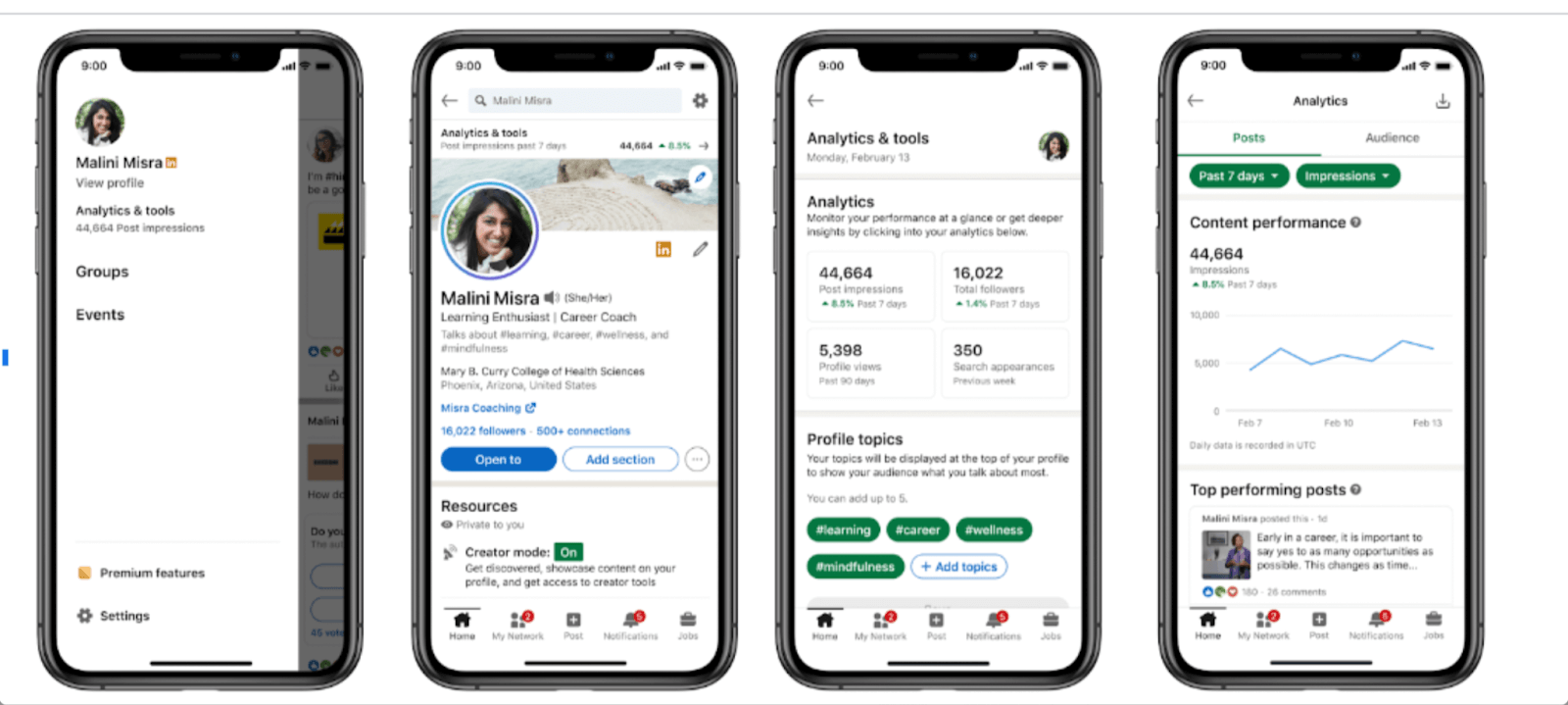
LinkedIn’s creator analytics guide explains that users can view combined post analytics and audience analytics from the Analytics section of the profile.
You do not need to obsess over every number. Track simple signals:
- Which posts bring profile views?
- Which topics attract comments from serious professionals?
- Which posts lead to connection requests?
- Which content gets saved or shared?
- Which audience locations and job titles appear in your analytics?
- Which posts create business or career conversations?
For Cameroon, this is important because likes can be misleading. A post may receive many friendly reactions from schoolmates but no professional opportunities. Another post may receive fewer likes but attract a recruiter, founder, client, or training partner.
The better question is not, “Did people like this?”
The better question is, “Did this content attract the right people?”
7. LinkedIn Custom Buttons Can Help Service Providers
Some professionals can also add a custom button to their profile, depending on their account type.
LinkedIn’s custom button guide explains that Premium Business, Sales Navigator, and Recruiter Lite subscribers can add a custom button linking to a URL, such as a business, service, or blog page.
This is useful for consultants, freelancers, coaches, agencies, and founders who want profile visitors to take a clear next step.
Possible button destinations include:
- Book a consultation
- View portfolio
- Visit website
- See services
- Read case studies
- Contact through a service page
Do not send people to a confusing homepage. Send them to the most relevant next step.
Most Users Scroll. Serious Professionals Build Assets.
LinkedIn becomes more useful when you stop treating it as a feed and start treating it as a professional asset system.
Your profile explains your value. The Featured section proves it. Newsletters help you build a returning audience. Articles show depth. Events and LinkedIn Live create richer conversations. Analytics show what is working. The Follow or Connect decision shapes how people engage with your profile.
Most Cameroonian users will continue connecting and scrolling. That creates an advantage for professionals willing to use the platform more deliberately.
Start with one feature this week. Add three strong items to your Featured section. Then review your primary profile button. Next month, test a short article or newsletter idea. You do not need to use every feature at once. You need to turn your LinkedIn profile from a passive page into a working professional presence.