Top Free Google Tools Every Entrepreneur Should Use
Many entrepreneurs think better business systems require expensive software.
That is not always true.
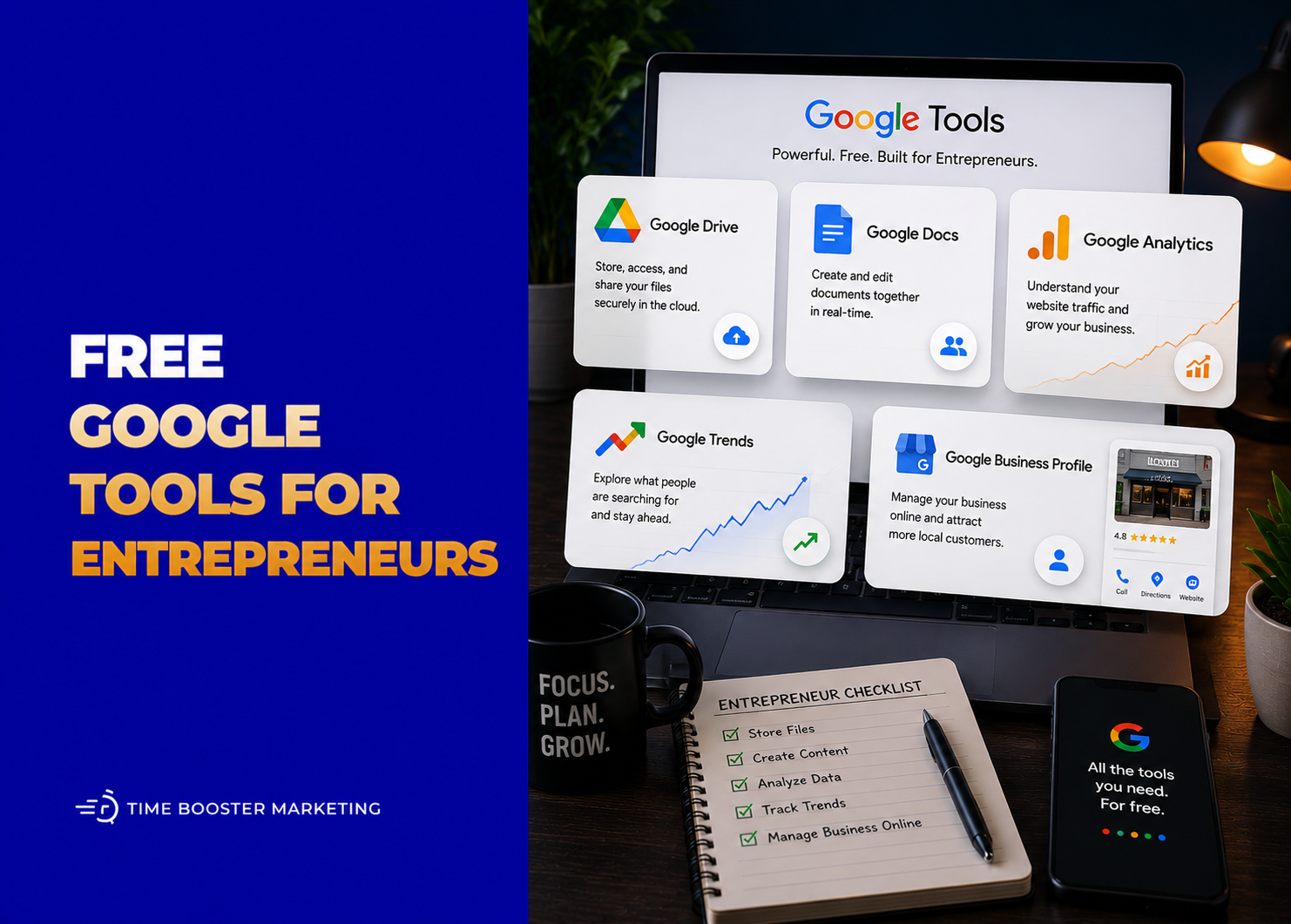
Before paying for advanced tools, you can build a strong digital foundation using free Google tools. These tools can help your business appear on Google Search and Maps, understand website traffic, plan content, collect customer enquiries, organize files, run meetings, track performance, and improve marketing decisions.
For Cameroonian and African SMEs, this matters because cash flow is often tight. You may need tools that work before you can justify subscriptions. The goal is not to use every Google product at once. The goal is to build a simple system that helps you attract customers, serve them better, and make decisions with evidence.
1. Google Business Profile
Google Business Profile is one of the most important free tools for local businesses.
Google says a free Business Profile helps businesses manage how they appear on Google Search and Maps, including business hours, photos, reviews, products, services, and contact information. For restaurants, salons, clinics, boutiques, agencies, hotels, schools, real estate businesses, and service providers, this can directly affect whether local customers find and trust you.
Use it to add your location, service area, phone number, website, WhatsApp-friendly contact details, photos, opening hours, and customer reviews. A business that depends on walk-ins, calls, bookings, or local enquiries should not ignore Google Maps visibility.
2. Google Search Console
Google Search Console helps you understand how your website performs in Google Search.
Google describes Search Console as a free service that helps website owners monitor, maintain, and troubleshoot their site’s presence in Google Search results. It shows search queries, clicks, impressions, indexing issues, page problems, and technical signals that affect visibility.
Use it to answer practical questions: Which pages are getting clicks? Which keywords bring visitors? Has Google indexed your service pages? Are important pages excluded from search? If your website is supposed to generate leads, Search Console should be checked at least monthly.
3. Google Analytics
Google Analytics helps you understand what visitors do after they reach your website.
Google positions Analytics as a free tool for business insights across websites and apps, while its beginner resources explain that users can set up a property, understand reports, and configure valuable actions such as conversions.
Use it to track traffic sources, popular pages, user engagement, enquiry form completions, WhatsApp button clicks, product-page performance, and campaign results. Search Console tells you how people find you on Google. Analytics helps you understand what they do after arriving.
4. Google Trends
Google Trends is useful for content planning, market research, and campaign timing.
Google Trends lets users compare search terms and topics, explore interest by region, review related searches, and understand search interest over time. Google also explains that Trends data is normalized, so it shows relative popularity rather than exact search volume.
Use it to compare terms such as “restaurant Douala” versus “restaurant Yaoundé,” “jobs in Cameroon” versus “emplois Cameroun,” or “WhatsApp marketing” versus “marketing WhatsApp.” For bilingual markets, this helps you avoid creating content for only one language pattern.
5. Google Keyword Planner
Google Keyword Planner is built for Google Ads, but entrepreneurs can also use it for SEO and content research.
Google describes Keyword Planner as a free resource for advertisers to discover keywords, analyze keyword trends, get bid estimates, and plan campaigns. It can help you find words and phrases potential customers use when searching for businesses like yours.
Use it before writing service pages, blog posts, landing pages, or ad campaigns. For example, a web designer can compare “website design Cameroon,” “web development Douala,” and “create website for business” before deciding what content to build.
6. PageSpeed Insights
PageSpeed Insights helps you test whether your website is fast enough for real users.
Google’s PageSpeed Insights documentation says the tool assesses performance on mobile and desktop and provides optimization suggestions using lab and real-world data where available.
Use it to check your homepage, service pages, blog posts, and landing pages. Slow websites lose trust, especially when customers browse on mobile data. Compress images, remove unnecessary plugins, avoid heavy sliders, and test your pages after every major redesign.
Use it for proposals, meeting notes, policies, scripts, blog drafts, training manuals, and client reports. Instead of sending five versions of the same document by email, keep one working document and use comments for feedback.
7. Looker Studio
Looker Studio helps turn data into dashboards and reports.
Google’s Looker Studio overview says users can connect to many data sources, build interactive reports and dashboards, share them with teams, and embed reports on web pages.
Use it to combine data from Google Analytics, Search Console, Google Ads, Sheets, and other sources. For agencies, consultants, and marketing teams, Looker Studio makes reporting more professional than sending screenshots.
8. YouTube Studio
YouTube Studio is essential if video is part of your business or personal brand.
Google’s YouTube Help says the Studio dashboard gives creators an overview of analytics, comments, watch time, views, and subscribers. YouTube Analytics helps creators understand channel and individual video performance through key metrics and reports.
Use it to track which videos bring views, subscribers, enquiries, or watch time. For entrepreneurs using YouTube for education, product demos, tutorials, or thought leadership, Studio is where you learn what your audience actually responds to.
9. Google Alerts
Google Alerts helps you monitor topics across the web.
Google’s help documentation explains how to create alerts, while Google News Initiative describes Alerts as a way to stay up to date through emails around relevant keywords.
Use it to monitor your brand name, competitors, industry topics, tenders, public opportunities, policy changes, and niche news. A real estate entrepreneur can track housing policy. A tech founder can track AI regulation. A media brand can track trending public conversations.
10. Google Tag Manager
Google Tag Manager helps you manage website tracking tags more efficiently.
Google describes Tag Manager as a free tag management solution, and its help documentation explains that it lets users set up and manage tags on a website without changing the website’s code every time.
Use it to manage Google Analytics, Google Ads conversion tracking, remarketing tags, and other website measurement scripts. For beginners, a web developer or marketer may need to set it up first, but it becomes valuable when your marketing becomes more serious.
A Simple Free Google Tool Stack for Entrepreneurs
Do not start with all tools at once.
Start with this practical stack:
Visibility: Google Business Profile and Search Console.
Measurement: Google Analytics and PageSpeed Insights.
Research: Google Trends and Keyword Planner.
Productivity: Drive, Docs, Sheets, Forms, Calendar, and Meet.
Reporting: Looker Studio.
Content: YouTube Studio and Google Alerts.
This combination gives you the basics of digital visibility, business organization, customer research, and performance tracking.
Common Mistakes to Avoid
Do not create a Google Business Profile and leave it empty.
Do not install Analytics and never check reports.
Do not write blog posts without Search Console or keyword research.
Do not keep business files in random personal folders.
Do not collect form responses without following up.
Do not use Google Meet for consultations and forget to schedule reminders.
Do not track website performance only after traffic drops.
Do not assume free tools mean weak tools. The weakness is usually poor setup, not the tool itself.
Free Tools Become Powerful When You Build Habits
Google’s free tools can help entrepreneurs look more professional, understand customers, manage work, improve websites, plan content, and make better marketing decisions.
But tools only work when they become habits.
Update your Business Profile weekly. Review Search Console monthly. Check Analytics after campaigns. Use Trends before publishing content. Organize Drive before your files become chaotic. Track leads in Sheets. Use Forms to collect cleaner enquiries. Use Calendar to protect appointments. Use Looker Studio when reporting becomes repetitive.
The advantage is not just access to free tools. The advantage is discipline. Entrepreneurs who combine simple tools with consistent execution can build stronger digital systems without waiting for a large budget.