
WhatsApp CRM Solutions for Businesses in Cameroon
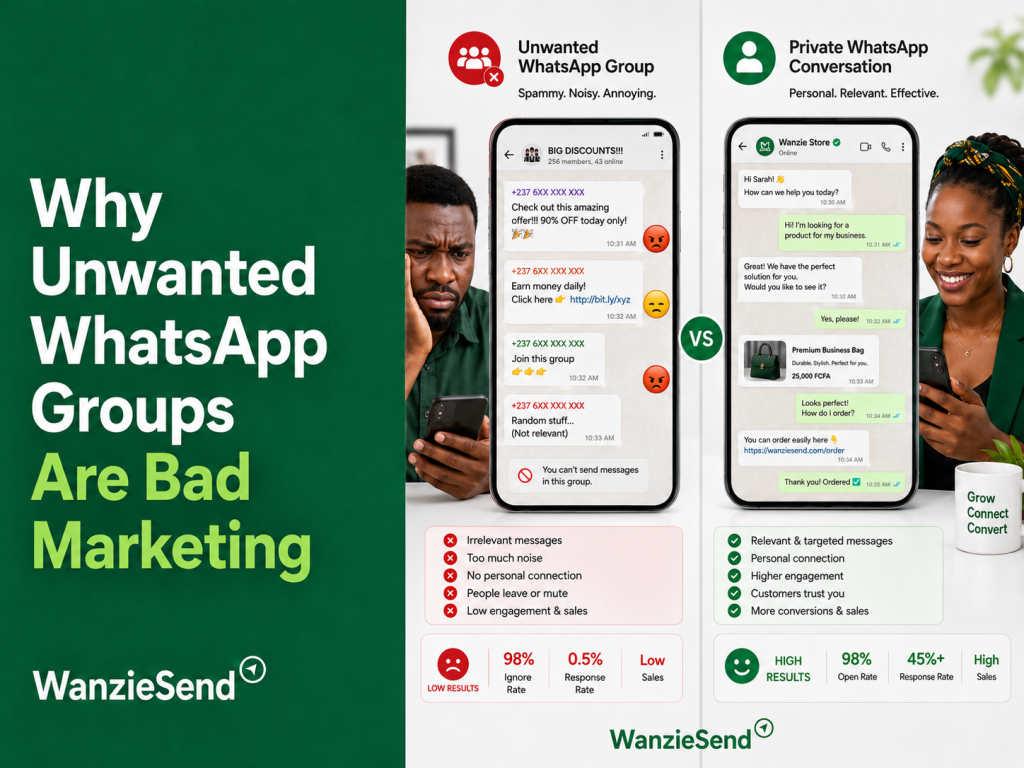
WhatsApp without a CRM is just chatting.
That may work when your business receives five enquiries a week. It breaks down when you start receiving dozens of messages from customers asking about prices, delivery, appointments, quotations, product availability, payment confirmation, or after-sales support.
A customer asks for a quote and disappears. A salesperson forgets to follow up. Two staff members answer the same person. A serious prospect gets buried under new messages. At the end of the month, nobody can say how many WhatsApp conversations became actual sales.
That is the problem WhatsApp CRM solutions solve.
A CRM connects WhatsApp conversations to customer records, sales stages, tasks, reminders, staff ownership, and revenue tracking. The result is simple: your business stops treating every chat as an isolated message and starts managing every conversation as part of a customer journey.
What a WhatsApp CRM Integration Actually Enables

A WhatsApp CRM integration allows your business to centralize customer communication and sales information.
Instead of one phone holding all customer history, your team can see who contacted the business, what they asked for, who replied, what stage they are in, when to follow up, and whether the conversation produced revenue.
The official WhatsApp Business Platform supports scaled business messaging through API-based infrastructure, making it possible for businesses to connect WhatsApp to customer-service tools, marketing systems, and CRMs.
For Cameroonian businesses, this matters because WhatsApp is often where trust is built. Customers may not buy immediately. They ask questions, compare options, send screenshots, request delivery details, confirm payment, and return days later. Without a CRM, those signals are easily lost.
A WhatsApp CRM setup can help you:
- Capture new leads automatically
- Save customer names and phone numbers
- Track product or service interest
- Assign conversations to team members
- Add follow-up reminders
- Segment customers by interest or stage
- Record quotations and deal values
- Trigger automated responses
- Track campaign sources
- Measure closed sales and repeat purchases
This turns WhatsApp from a busy inbox into an operating system for sales and retention.
How Customer Data Flows Between WhatsApp and Your Sales Pipeline
A proper WhatsApp CRM flow has several steps.
1. Customer Starts the Conversation
The customer may come from Facebook, Instagram, Google, referral, a website button, a flyer, a Click-to-WhatsApp ad, or a saved phone contact.
They send a message such as:
Hello, I saw your ad. How much is the package?
At this stage, the CRM should capture the phone number, name where available, source, campaign, and first message.
2. The Conversation Is Tagged or Categorized
The CRM or messaging platform should identify what the customer wants.
For example:
- Website design
- Apartment rental
- Birthday cake
- Hair appointment
- Hotel booking
- Training registration
- Logistics quotation
- Medical appointment
This category helps the business route the lead correctly.
3. The Lead Enters a Sales Stage
The conversation should move through clear stages such as:
New enquiry
Qualified
Quotation sent
Follow-up required
Payment pending
Sale completed
Not qualified
Without stages, your team has no pipeline. Everyone is simply replying to messages.
4. A Staff Member Owns the Conversation
Every serious lead needs an owner.
If nobody owns the conversation, nobody follows up. A CRM can assign leads based on region, product, salesperson, language, customer type, or urgency.
For example, a real estate agency can assign Douala enquiries to one team and Yaoundé enquiries to another. A training center can assign corporate enquiries to a senior representative and student enquiries to admissions staff.
5. Follow-Up Is Scheduled
Many sales are not closed in the first conversation.
The CRM should remind your team to follow up after a quotation, abandoned payment, missed appointment, or unanswered proposal.
This is where revenue is often recovered. A customer who does not buy today may still buy after a clear, respectful reminder.
6. The Outcome Is Recorded
At the end of the journey, the CRM should record whether the lead became a customer.
This allows your business to calculate:
- Number of WhatsApp enquiries
- Number of qualified leads
- Number of quotations sent
- Number of completed sales
- Revenue from WhatsApp
- Best-performing campaign sources
- Salesperson response performance
This is the difference between guessing and managing.
Why Cameroonian Businesses Need CRM Discipline
Many SMEs in Cameroon already sell through WhatsApp, but the process is informal.
The owner knows some customers by memory. Staff use personal phones. Product prices change in different chats. Follow-ups depend on who remembers. Customer history disappears when an employee leaves. Campaign results are judged by “many people wrote us” instead of actual sales.
That informality becomes expensive as the business grows.
A restaurant may lose group bookings because enquiries were not followed up. A boutique may fail to re-contact customers who asked for unavailable sizes. A real estate agent may forget a serious prospect after sending property photos. A training center may lose applicants because registration reminders were not sent.
CRM discipline protects opportunity.
Best WhatsApp CRM Configurations for Small Businesses
Not every business needs an advanced API system immediately. Choose based on your stage.
Stage 1: WhatsApp Business App + Spreadsheet
This is the simplest setup.
Use the free WhatsApp Business App with labels, quick replies, catalog, greeting messages, and a shared Google Sheet or Excel tracker.
Best for:
- Solo business owners
- Small boutiques
- Freelancers
- Salons
- Small restaurants
- Service providers with low message volume
Track customer name, phone number, request, stage, quotation value, follow-up date, and final outcome.
This is not perfect, but it is better than relying on memory.
Stage 2: Shared Inbox + Lightweight CRM
Once more than one person handles messages, you need shared visibility.
A shared inbox lets your team assign conversations, tag customers, monitor response time, and avoid duplicate replies. This can be connected to a lightweight CRM or sales tracker.
Best for:
- Growing SMEs
- Real estate agencies
- Training centers
- Clinics
- Hotels
- Logistics businesses
- Retailers running ads into WhatsApp
At this stage, your priority is ownership. Every lead should have a person responsible for moving it forward.
Stage 3: WhatsApp Platform + Full CRM
When WhatsApp becomes a major sales channel, connect it directly to a CRM such as HubSpot, Zoho, Salesforce, Pipedrive, Odoo, or another sales system.
For example, HubSpot’s WhatsApp integration allows businesses to manage WhatsApp conversations inside the CRM environment. Zoho CRM’s WhatsApp integration also supports WhatsApp business messaging inside its CRM ecosystem.
Best for:
- Scaling service businesses
- B2B sales teams
- High-ticket businesses
- Multi-location companies
- Businesses running paid lead-generation campaigns
- Companies needing reporting and automation
This setup allows WhatsApp conversations to become deals, tasks, tickets, customer records, and revenue reports.
Stage 4: WhatsApp Business API + Custom Workflow
Larger or more technical businesses may need API access, webhooks, custom dashboards, automated routing, and internal integrations.
Meta’s WhatsApp Business Platform supports webhook-based event handling, and its WhatsApp Business Platform Webhooks documentation shows how messaging events can trigger real-time system updates.
Best for:
- Large teams
- Custom CRM users
- E-commerce platforms
- Financial services
- Logistics operators
- Health or appointment-heavy businesses
- Companies needing deep automation
This configuration requires technical support, but it provides the most control.
Features to Look for in a WhatsApp CRM Solution
A serious WhatsApp CRM solution should include more than message sending.
Look for:
Contact management: every customer should have a record.
Conversation history: staff should see previous messages before replying.
Lead stages: chats should move through a visible sales pipeline.
Assignment rules: every lead should have an owner.
Follow-up reminders: the system should prevent forgotten prospects.
Tags and segments: customers should be grouped by interest, location, stage, or value.
Automation: common replies, reminders, and qualification flows should be handled faster.
Analytics: management should see response time, conversion rate, lead source, and revenue.
CRM integration: WhatsApp should connect to your wider sales or customer database.
Data export: your customer records should not be trapped inside one tool.
Also review pricing carefully. WhatsApp’s official Business Platform Pricing explains that business messaging costs can vary by market and message category, so your total cost may include both software fees and WhatsApp conversation or message fees.
What to Avoid
Avoid tools that only promise bulk blasting.
Broadcasting messages without customer tracking is not CRM. It may create noise without improving sales discipline.
Avoid systems where only one person can see customer history. Avoid platforms that cannot export data. Avoid unclear pricing. Avoid unofficial tools that put your WhatsApp number at risk. Avoid automation that replies quickly but gives wrong information.
The purpose of WhatsApp CRM is not to send more messages. It is to manage customer relationships better.
WhatsApp CRM Turns Conversations Into Revenue Systems
A WhatsApp message is not automatically a lead. A lead is not automatically a customer. A customer is not automatically retained.
Your business needs a system that connects those stages.
WhatsApp CRM solutions help Cameroonian businesses capture enquiries, organize customer data, assign responsibility, follow up consistently, and measure what actually converts.
Start simple if your business is small. Use WhatsApp Business labels and a tracker. Move to a shared inbox when the team grows. Connect a full CRM when WhatsApp becomes central to sales. Use API-level workflows only when volume and complexity justify it.
The goal is not to make WhatsApp more complicated. The goal is to make your customer relationships impossible to forget.