
20 YouTube Features Every Creator Should Know
Uploading videos is only one part of being a YouTube creator.

The creators who grow consistently are not only better on camera. They understand the tools behind the channel: YouTube Studio, analytics, playlists, Shorts, thumbnails, comments, captions, copyright checks, and monetization settings.
For creators in Cameroon and across Africa, this matters because many channels start with passion but fail from weak systems. A good video can still underperform if the title is unclear, the thumbnail is weak, the audience retention is poor, the playlist strategy is missing, or the creator never studies analytics.
YouTube’s official guide to navigating YouTube Studio shows that Studio is where creators manage content, analytics, comments, subtitles, copyright, monetization, customization, and settings. It is the control room of the channel, not an optional dashboard.
1. YouTube Studio Dashboard
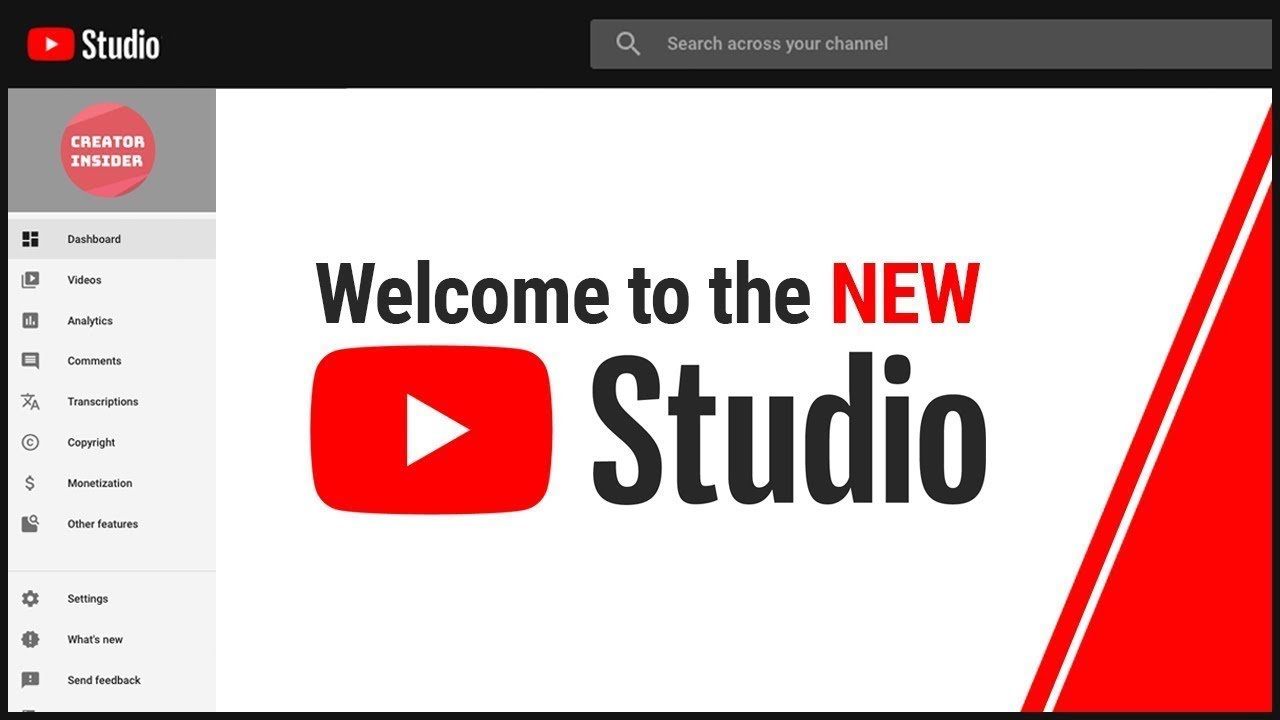
The YouTube Studio dashboard gives you a quick view of recent channel activity, performance, comments, updates, and monetization status. YouTube’s Studio dashboard guide explains that it helps creators monitor channel analytics, comments, and important channel information from one place.
Use it every week. Do not wait until a video fails before checking performance.
2. Channel Customization

Your channel homepage should explain what viewers will get from you.
YouTube’s channel customization guide explains that creators can customize layout, branding, and basic information. This includes your banner, profile picture, channel description, trailer, featured video, and channel sections.
For a business channel, this is where you make the channel look credible. For a personal creator, this is where you make your niche obvious.
3. Channel Trailer and Featured Video
A channel trailer introduces new viewers to your content. A featured video can guide returning viewers toward your latest or most important content.
Use your trailer to answer:
Who is this channel for?
What problem do you solve?
Why should people subscribe?
A creator teaching business skills in Cameroon should not use a random vlog as the trailer. Use a clear introduction that positions the channel.
4. Upload Workflow
The upload screen is more than a place to drop a video file.
YouTube’s upload guide shows that creators can add titles, descriptions, thumbnails, playlists, audience settings, subtitles, end screens, cards, visibility settings, and more during upload.
Treat upload like publishing, not storage.
5. Video Titles
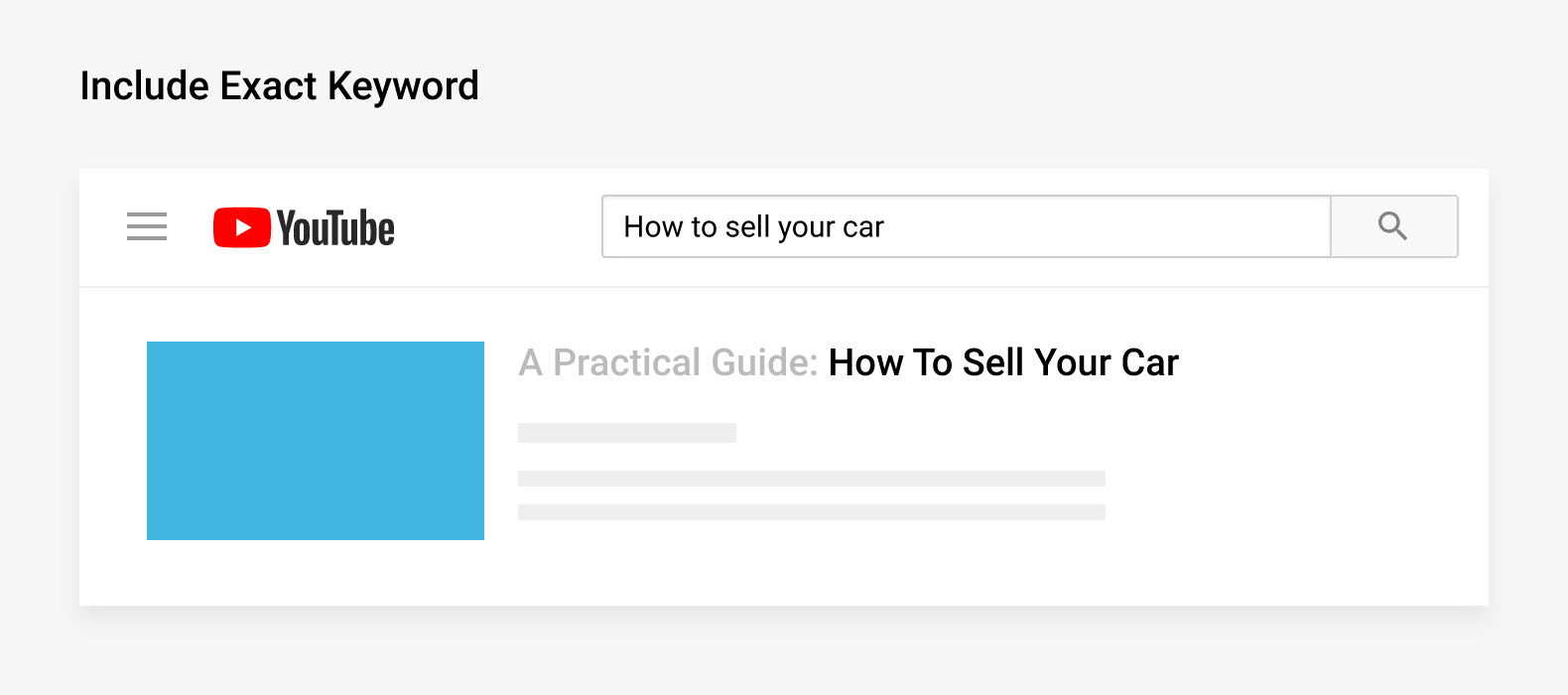
Your title determines whether people understand the value of the video.
A weak title says:
My New Video
A stronger title says:
How to Start a Small Business in Cameroon With 100,000 XAF
Good titles combine clarity, search intent, and curiosity. Do not mislead viewers. If the title promises one thing and the video delivers another, people leave quickly.
6. Custom Thumbnails
Thumbnails help viewers decide whether to click.
YouTube’s thumbnail and title tips recommend thinking about who may watch the video, where they may find it, and reviewing analytics to understand performance.
Use readable text, clear faces or objects, strong contrast, and a simple idea. A thumbnail should communicate the video’s promise in one glance.
7. Descriptions
The description gives context to viewers and YouTube.
Use the first two lines carefully because they appear prominently. Explain what the video covers, add relevant links, include timestamps where useful, and direct viewers to related resources.
For businesses, descriptions should include a website link, WhatsApp contact, service page, course page, or booking link.
8. Playlists
Playlists organize videos into watchable sequences.
YouTube’s guide on playlist analytics explains that creators can review aggregated performance for groups of videos inside playlists.
A creator should not dump every video into one playlist. Build focused playlists such as:
Digital Marketing for SMEs
Beginner YouTube Tutorials
Cameroon Business Guides
WhatsApp Marketing Tutorials
Playlists help viewers continue watching without searching again.
9. End Screens
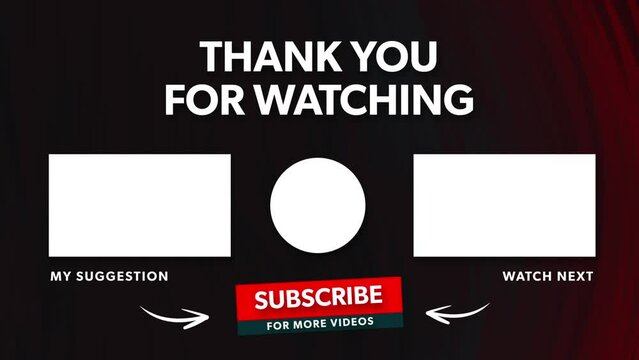
End screens appear near the end of eligible videos and can guide viewers to another video, playlist, or channel action.
YouTube’s end screen guide explains that end screens can feature videos, playlists, and other elements, depending on eligibility and settings.
Use end screens to keep viewers inside your content ecosystem. Do not let a strong video end with no next step.
10. Info Cards

Info cards allow creators to link viewers to another video, playlist, channel, or approved link.
YouTube’s info card guide explains that cards can feature videos, playlists, channels, or links.
Use cards when you mention a related tutorial, case study, or deeper explanation inside a video.
11. Subtitles and Captions
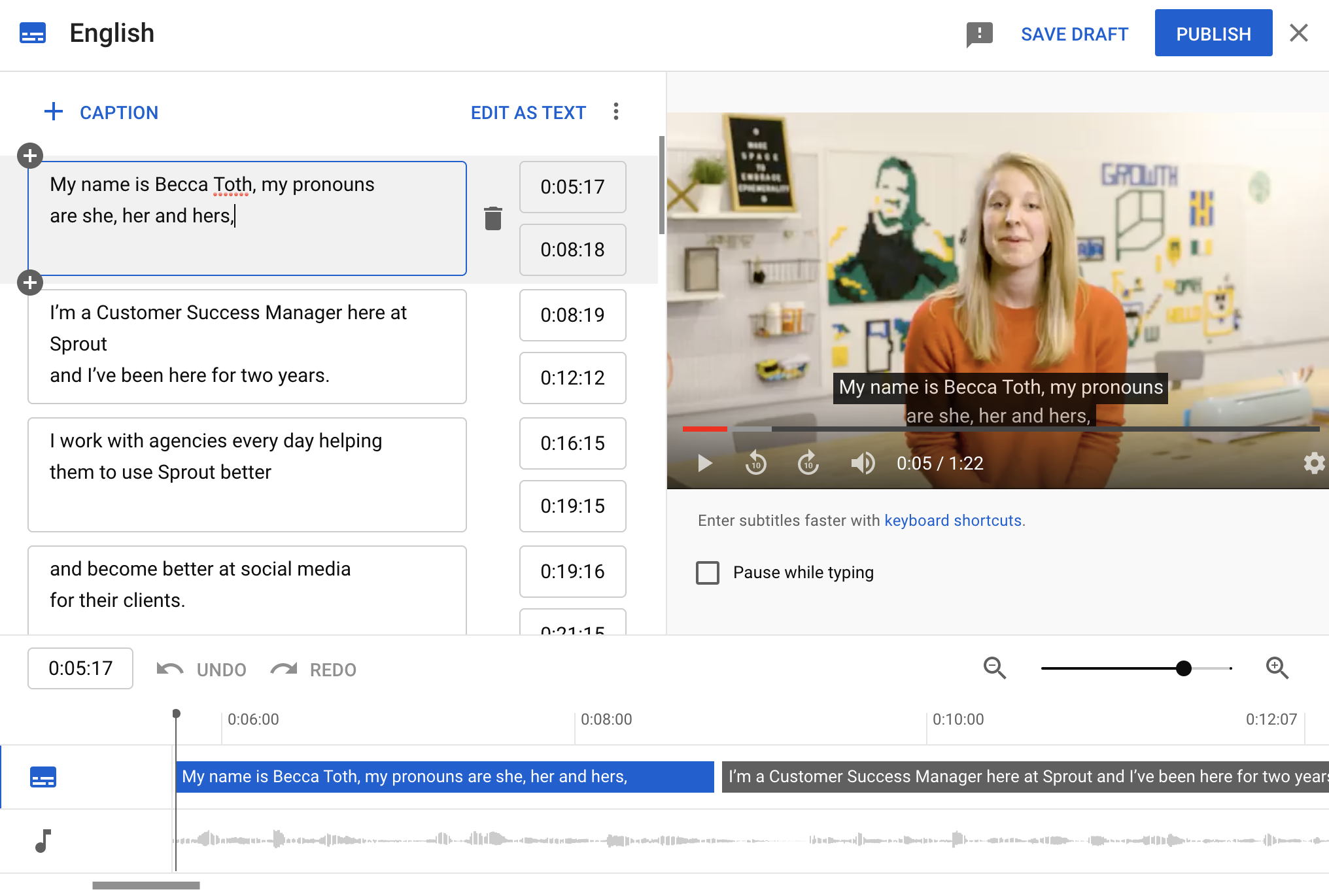
Captions help viewers follow your content when audio is unclear, when they are watching in public, or when language comprehension is mixed.
This is especially useful in Cameroon, where audiences may include English speakers, French speakers, bilingual viewers, and diaspora audiences. Captions can improve accessibility and comprehension, especially for educational content.
12. YouTube Shorts
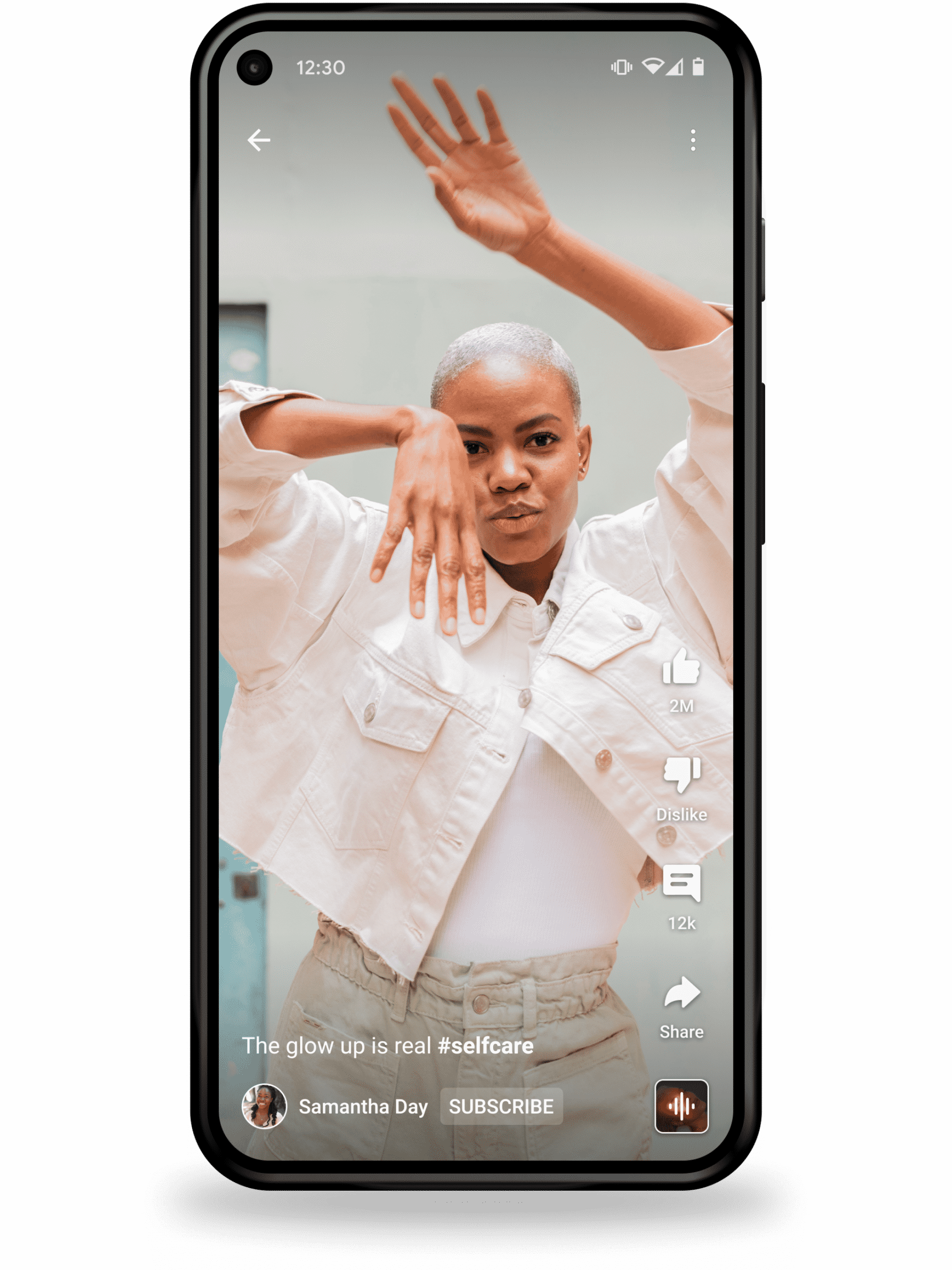
Shorts are YouTube’s short-form video format.
YouTube’s Shorts creation guide explains that Shorts creation tools support short-form videos up to three minutes long with mobile creation tools.
Use Shorts for quick tips, definitions, myths, highlights, reactions, and previews. Do not post random Shorts that confuse your channel niche.
13. Related Video for Shorts
When uploading, YouTube allows creators to select a related video from their channel for a Short, helping direct viewers from Shorts to other YouTube content. This appears in YouTube’s upload guidance as a way to connect Shorts viewers to longer or related videos.
This is powerful. A Short should not only chase views. It should move the right viewer toward deeper content.
14. YouTube Analytics Overview
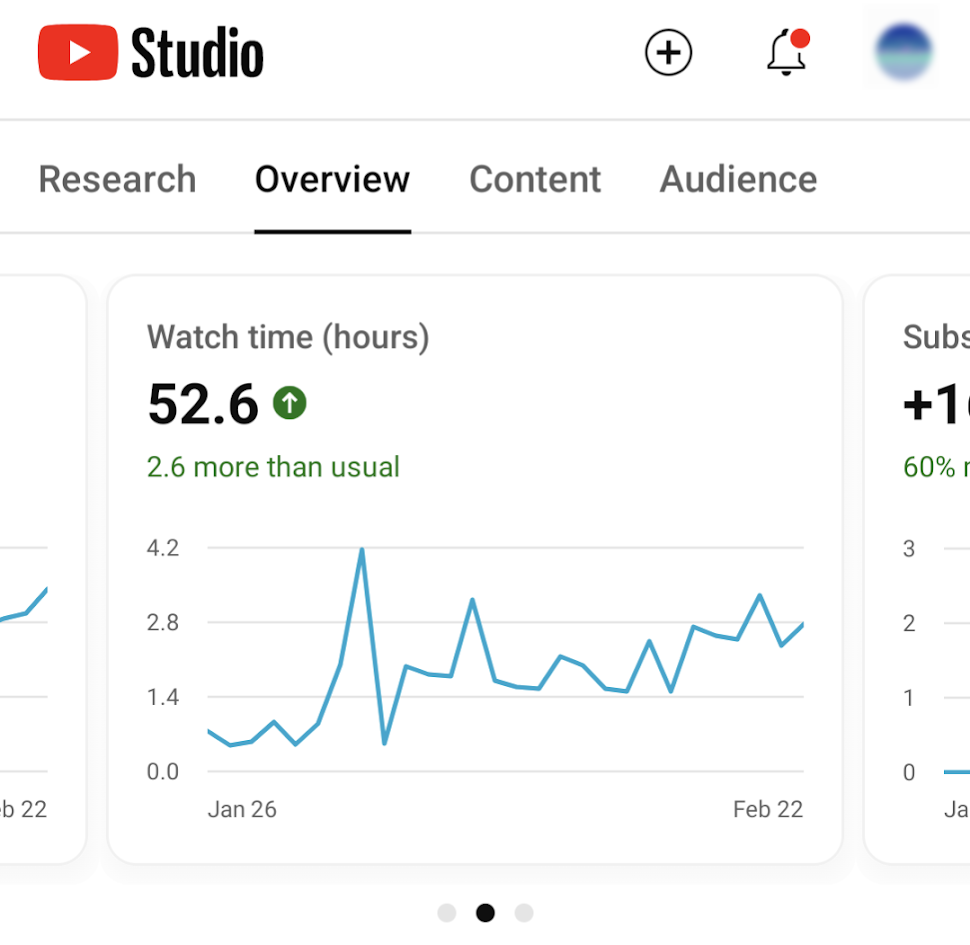
YouTube Analytics shows what is actually happening on your channel.
YouTube’s Analytics guide explains that creators can use different analytics tabs to understand channel data, content performance, audience behavior, and trends.
Do not judge content by feelings. Judge it by watch time, retention, impressions, click-through rate, traffic sources, and subscriber behavior.
15. Impressions and Click-Through Rate
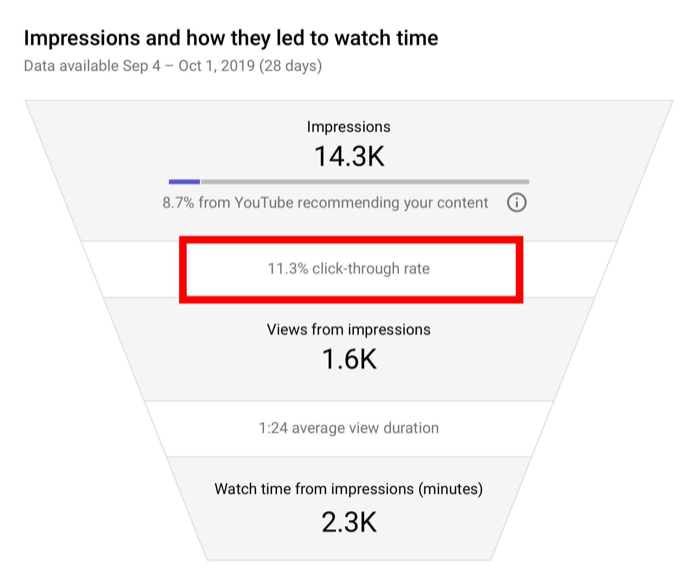
Impressions show how often YouTube displayed your video thumbnail. Click-through rate shows how often people clicked after seeing it.
If impressions are high but clicks are low, your topic, title, or thumbnail may not be compelling enough.
If clicks are high but retention is poor, the packaging worked but the video did not satisfy the promise.
16. Audience Retention
Audience retention shows where viewers stay and where they leave.
This is one of the most important creator metrics. If many viewers leave in the first 30 seconds, your intro may be too slow. If they drop during long explanations, the structure may need tightening. If they rewatch one section, that part may deserve a separate video.
Use retention to improve storytelling, pacing, scripting, and editing.
17. Traffic Sources
Traffic sources show where viewers came from: YouTube Search, suggested videos, browse features, Shorts feed, external links, playlists, or channel pages.
This helps you understand discovery.
If search brings most views, improve SEO titles and educational topics. If suggested videos work, study which related videos are feeding your content. If WhatsApp and Facebook drive external views, strengthen your sharing strategy.
18. Comments and Comment Moderation
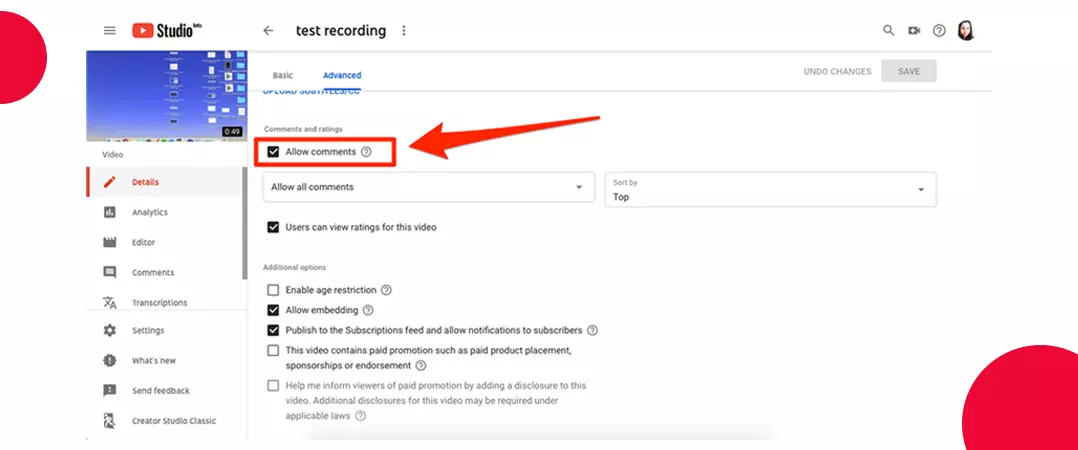
Comments are not only reactions. They are audience research.
YouTube’s comments guide explains that creators can review, reply to, and manage comments inside YouTube Studio. YouTube also offers moderation settings to help handle spam, self-promotion, and inappropriate comments.
Read comments for video ideas, objections, confusion, and audience language. Replying also helps build community trust.
19. Community Posts
Community posts allow creators to communicate without uploading a full video.
YouTube’s posts guide explains that creators can use posts to engage their audience through updates, polls, images, GIFs, and video sharing, depending on available features.
Use posts to test video ideas, announce uploads, ask questions, share behind-the-scenes updates, and keep the channel active between videos.
20. Monetization Tools
Monetization is more than ads.

YouTube’s Partner Program overview explains that eligible creators may access earning features such as Watch Page Ads, Shorts Feed Ads, memberships, Supers, Shopping, and related monetization tools. Eligibility depends on factors such as subscriber count, watch hours or Shorts views, policy compliance, two-step verification, and living in a country or region where the program is available.
Cameroonian creators should check YouTube’s current Partner Program availability before building income plans around ad revenue. Even when monetization is available, smart creators also build income through consulting, courses, brand partnerships, products, events, services, affiliate offers, and community support.
How to Use These Features as a System
These 20 YouTube features should not be treated separately.
A serious creator workflow looks like this:
Plan the video around a clear audience problem. Upload it with a strong title, thumbnail, description, captions, playlist, cards, and end screen. Use Shorts to create discovery. Use comments and Community posts to build relationships. Use analytics to improve the next upload. Use monetization tools only after the channel has built trust and consistency.
That is how YouTube becomes a channel strategy, not just a place to post videos.
Creators who understand YouTube features grow with more control because they know what each tool is supposed to do. Studio manages the channel. Analytics reveals behavior. Shorts create discovery. Playlists increase session depth. Comments build community. Monetization turns trust into income.
The platform gives creators the tools. Growth comes from using them deliberately.