LinkedIn Profile Setup Cameroon: How to Get Noticed
A weak LinkedIn profile can create a worse impression than having no profile at all.
When a recruiter searches your name and finds an outdated photograph, an unexplained job title, incomplete experience, and an empty summary, they do not have enough information to understand your professional value. They may assume you are inactive, inexperienced, or unclear about your career direction.
That assumption may be inaccurate, but your profile has not given them a better interpretation.
Your LinkedIn profile should answer three questions within a few seconds:
- What do you do?
- Who benefits from your work?
- What evidence suggests that you are credible?
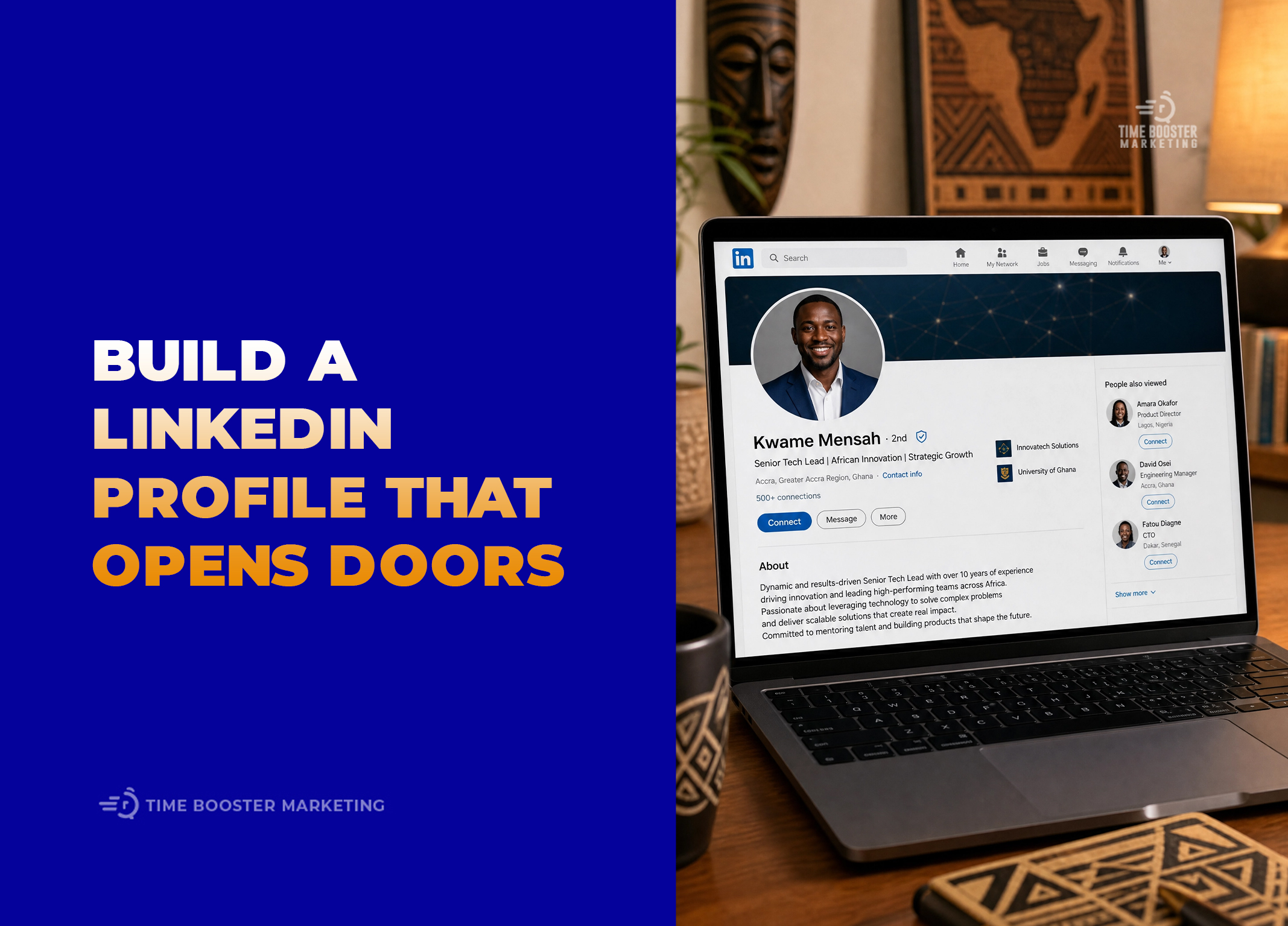
LinkedIn describes the introduction section as the first section people see when they visit a profile. It contains important information such as your name, photograph, background image, headline, position, education, location, industry, and contact details. That makes the top of your profile valuable professional space—not an administrative form to complete once and forget. Review LinkedIn’s introduction section guidance before editing these fields.
Why LinkedIn Profile Quality Matters in Cameroon
Cameroonian professionals often rely on personal referrals, alumni networks, WhatsApp groups, recruitment websites, and direct applications to discover opportunities. These channels remain useful, but they usually give employers only part of your professional story.
A LinkedIn profile can bring your experience, skills, qualifications, recommendations, work samples, and professional contributions into one visible location. LinkedIn’s official guidance explains that a complete profile can help members connect with opportunities and make their professional experience easier for other people to evaluate.
Your profile may also be visible outside your immediate network. Depending on your privacy settings, parts of your public profile can appear to people who are not signed in to LinkedIn and through external search services. You should review LinkedIn’s public profile visibility controls to decide which sections people can see.
This matters when you apply for a role, attend an industry event, send a proposal, or introduce yourself to a senior professional. Someone may search your name before replying. Your profile should support the impression you created—not introduce confusion.
1. Choose a Professional Profile Photo
Your photograph is often the first profile element people notice.
LinkedIn allows photographs, illustrations, caricatures, and other artistic representations, but the image must reflect your likeness. Company logos, stock images, landscapes, flags, animals, and photographs of other people do not meet its profile-photo guidelines.
What a Strong Profile Photo Should Communicate
Your photograph should make you look recognizable, approachable, and appropriate for your profession.
You do not need an expensive studio session. A modern smartphone, natural light, and a clean background can produce a credible image.
Use these standards:
- Face the camera or turn only slightly away.
- Make your face large enough to recognize in a small circle.
- Use soft natural light rather than harsh overhead light.
- Choose a simple background that does not compete for attention.
- Wear clothing appropriate for your professional environment.
- Avoid heavy filters that significantly alter your appearance.
- Use a recent photograph.
A banking professional may choose formal business clothing. A software developer working in startups may use a more relaxed but polished image. A hospitality manager may wear professional workplace attire.
The objective is not to imitate someone from another industry. It is to look like a credible version of yourself in the professional environment you want to enter.
Common LinkedIn Profile Photo Mistakes
Avoid wedding photographs, group pictures, passport scans, graduation photographs with other people cropped out, distant full-body images, and casual selfies taken in distracting environments.
A photograph from an important personal event may look attractive, but it may not support the professional context of your profile.
LinkedIn recommends a minimum profile-image size of 400 by 400 pixels and accepts JPG or PNG files. The platform also provides tools for cropping, positioning, rotating, and adjusting visibility after upload. Consult LinkedIn’s profile photo specifications before preparing the file.
Make the Photograph Visible
A good profile photograph provides limited value when only close connections can see it.
LinkedIn allows you to make the image visible to first-degree connections, your network, all LinkedIn members, or anyone. For professional discovery, consider a broader setting unless you have a specific privacy concern. LinkedIn explains the available options in its profile-photo visibility settings.
2. Use the Banner to Reinforce Your Professional Direction
The background banner sits behind your profile photograph. Many professionals leave it blank or use a random motivational quotation.
That wastes an opportunity.
LinkedIn states that the cover image can make your professional story more visually engaging and help you stand out to recruiters, employers, prospective clients, and other members.
Your banner should reinforce your professional positioning without becoming a crowded advertisement.
What to Put on Your LinkedIn Banner
You can use:
- A photograph related to your industry
- A clean illustration of your area of expertise
- A simple personal brand design
- A short value statement
- Professional keywords
- A photograph of you presenting or working
- A visual connected to an important project
For example, a civil engineer could use a high-quality infrastructure photograph. A data analyst could use a clean data-visualization design. A communications professional could use a minimal banner containing the words “Corporate Communications | Media Relations | Content Strategy.”
Keep text away from the lower-left area because your profile photograph may cover part of the design. LinkedIn recommends background-image dimensions of 1584 by 396 pixels.
Avoid Turning the Banner Into a Flyer
Do not fill the banner with several telephone numbers, long sentences, certificates, logos, and unrelated service descriptions.
The banner is a positioning aid. Your headline and About section should carry the detailed message.
Use one visual idea and, where necessary, one short professional statement.
3. Write a Headline That Explains Your Value
Your LinkedIn headline appears directly below your name. It can also appear in search results, connection requests, comments, and other locations across the platform.
LinkedIn allows the professional headline to differ from your current job title and suggests using it to communicate an area of expertise.
This means you do not have to accept an automatically generated headline such as:
Administrative Assistant at XYZ Company
That title identifies your current position but does not explain your capabilities or intended direction.
Use a Value-Based Headline Formula
Use this structure:
Professional identity + area of expertise + audience or outcome
Examples include:
HR Professional | Recruitment, Employee Relations and Workforce Development
Financial Analyst Helping SMEs Improve Budgeting and Management Reporting
Software Engineer | Web Applications, API Development and Cloud Infrastructure
Supply Chain Professional Improving Procurement, Inventory and Distribution Operations
Communications Specialist | Corporate Storytelling, Media Relations and Reputation Management
The headline does not need to include the words “helping” or “I help.” It needs to make your professional relevance understandable.
Include Searchable Professional Terms
Recruiters may search for skills, roles, industries, qualifications, and locations. Use terminology that accurately describes your experience.
For example, “technology professional” is less specific than “Cybersecurity Analyst.” “Business expert” is weaker than “Business Development Manager.” “Finance enthusiast” communicates less professional value than “Accountant | Financial Reporting and Tax Compliance.”
Do not add every skill you possess. Select the terms most closely connected to the opportunities you want.
Avoid Empty Status Statements
Headlines such as these provide little value:
- Open to opportunities
- Looking for a job
- Hardworking professional
- Motivated graduate
- Results-oriented individual
- CEO at My Life
You may be hardworking and motivated, but these statements are difficult to verify and do not explain what you can contribute.
Even when unemployed, lead with your professional identity and capabilities:
Junior Accountant | Bookkeeping, Reconciliation and Financial Reporting | Open to Entry-Level Roles
The opportunity status supports the positioning instead of replacing it.
4. Craft an About Section for the Right Audience
The About section is where you can explain your professional direction in greater depth.
LinkedIn describes it as a place to communicate your mission, motivation, and skills to profile visitors. It is separate from the shorter headline beneath your name.
Do not copy and paste your entire CV into this section. Your CV documents your employment history. Your summary should help the intended reader understand how your experience connects to their needs.
Start With the Reader’s Main Question
A recruiter wants to know whether your background fits the role.
A hiring manager wants to know whether you can solve the department’s problems.
A potential professional connection wants to know what subjects, projects, or opportunities are relevant to you.
Your first two or three lines should provide that orientation.
For example:
I am a supply chain professional with experience supporting procurement, stock control, and vendor coordination for growing distribution businesses. My work focuses on helping teams reduce purchasing delays and maintain clearer visibility over inventory movement.
This opening is stronger than:
I am a passionate, dynamic, hardworking, and results-driven individual who works well under pressure.
The first version contains evidence-based professional positioning. The second relies on adjectives that almost anyone could claim.
Use a Four-Part About Section
Paragraph 1: Professional Identity
State your profession, experience level, industry, or specialization.
Paragraph 2: Problems You Solve
Explain the work you perform and why it matters.
Paragraph 3: Evidence
Mention relevant projects, results, qualifications, tools, industries, or responsibilities. Use verified figures when available.
Paragraph 4: Direction
State the roles, industries, professional conversations, or collaborations relevant to your next step.
A complete summary might read:
I am a digital marketing specialist with experience helping service businesses improve online visibility and generate customer enquiries through content, paid media, and conversion-focused campaigns.
My work includes campaign planning, Meta advertising, social media content systems, landing-page messaging, and performance reporting. I focus on connecting marketing activity to qualified leads rather than measuring success through likes and impressions alone.
I have supported campaigns for hospitality, professional services, retail, and local consumer brands. My strengths include simplifying complex offers, identifying customer objections, and turning campaign data into practical optimization decisions.
I am interested in connecting with marketing leaders, agencies, technology companies, and growth-focused businesses across Cameroon and other African markets.
This summary tells the right audience what the professional does, how they think, what they have worked on, and where they are heading.
5. Check the Complete First Impression
Your photograph, banner, headline, and About section should tell one consistent story.
A headline positioning you as a data analyst should not lead to a summary focused entirely on general administration. A banner advertising graphic-design services should not conflict with a profile targeting banking roles.
Before publishing, ask someone unfamiliar with your career plan to review the top section for 10 seconds. Then ask them:
- What type of professional am I?
- What skills appear strongest?
- What opportunity do I seem to want?
- What type of organization could benefit from my experience?
When the answers are unclear, your positioning needs more work.
Make Your Professional Value Easy to Understand
A strong LinkedIn profile does not need exaggerated job titles, artificial confidence, or a complicated personal brand.
It needs clarity.
Use a recent photograph that helps people recognize you. Choose a banner that supports your professional direction. Replace the automatic job-title headline with a clear explanation of your expertise. Write an About section for the recruiter or decision-maker you want to reach.
Your experience may already be valuable. The purpose of profile optimization is to make that value visible before an opportunity passes to someone whose profile was easier to understand.