You are a Cameroon entrepreneur, and you have built a beautiful website for your business. You have great products, valuable services, and you are ready to serve your customers. But there is a huge problem: when people search on Google, your website is nowhere to be found. It feels like you have a shop in the middle of a busy market, but the doors are invisible. This frustrating situation is often caused by specific SEO mistakes hurting indexing, which prevent Google from finding, understanding, and showing your pages to users.
Indexing is the process where search engines like Google discover your web pages and add them to their massive database. If your page is not in this database, it cannot appear in search results. For many Cameroonian website owners, the digital landscape presents unique challenges, from internet speed to local market behaviors. Understanding the specific errors that prevent your site from being indexed is the first step toward unlocking your online potential and making your business visible to the millions of Cameroonians using the internet every day.
This guide will act as your roadmap. We will walk through the most common technical and content-related blunders that hold Cameroonian websites back. We will provide clear, actionable steps to identify and fix these problems, so you can open your digital doors and welcome the traffic you deserve.
8 Critical SEO Mistakes Hurting Indexing on Cameroonian Websites
1. The “Do Not Enter” Sign: Incorrect robots.txt Configuration
Think of your website’s robots.txt file as a bouncer at a club. It gives instructions to search engine “crawlers” (the bots that discover your web pages) about which parts of your site they are allowed to visit and which they should ignore. A correctly configured robots.txt file is helpful. However, a small mistake in this file can accidentally tell Google to ignore your entire website.
This is one of the most devastating and surprisingly common SEO mistakes hurting indexing. A single misplaced line of code can block search engines completely.
The line that causes this issue usually looks like this:
User-agent: *
Disallow: /
The asterisk (*) means the rule applies to all bots. The forward slash (/) represents the root of your website, meaning the entire site. Together, this code tells every search engine bot, “Do not enter any part of this website.” This might be added by a developer during the construction phase to keep the site private and then forgotten when the site goes live.
How to Check and Fix It
- Find Your
robots.txtFile: You can find this file by typing your website’s domain followed by/robots.txt(e.g.,yourwebsite.cm/robots.txt). - Read the File: Look for any
Disallow: /commands. If you see it, and you want your site to be indexed, this is your problem. - The Fix: You need to edit this file. For most sites, especially simple ones, you can either remove the
Disallow: /line or change it toDisallow:(with nothing after it), which means nothing is disallowed. If you want to allow all bots access, a cleanrobots.txtfile might look like this:
User-agent: *
Disallow:
Sitemap: https://yourwebsite.cm/sitemap.xml
This simple fix can be the difference between being invisible and being seen on Google. Always double-check this file after launching a new site or making significant changes.
2. The Invisible Cloak: Misconfigured noindex Tags
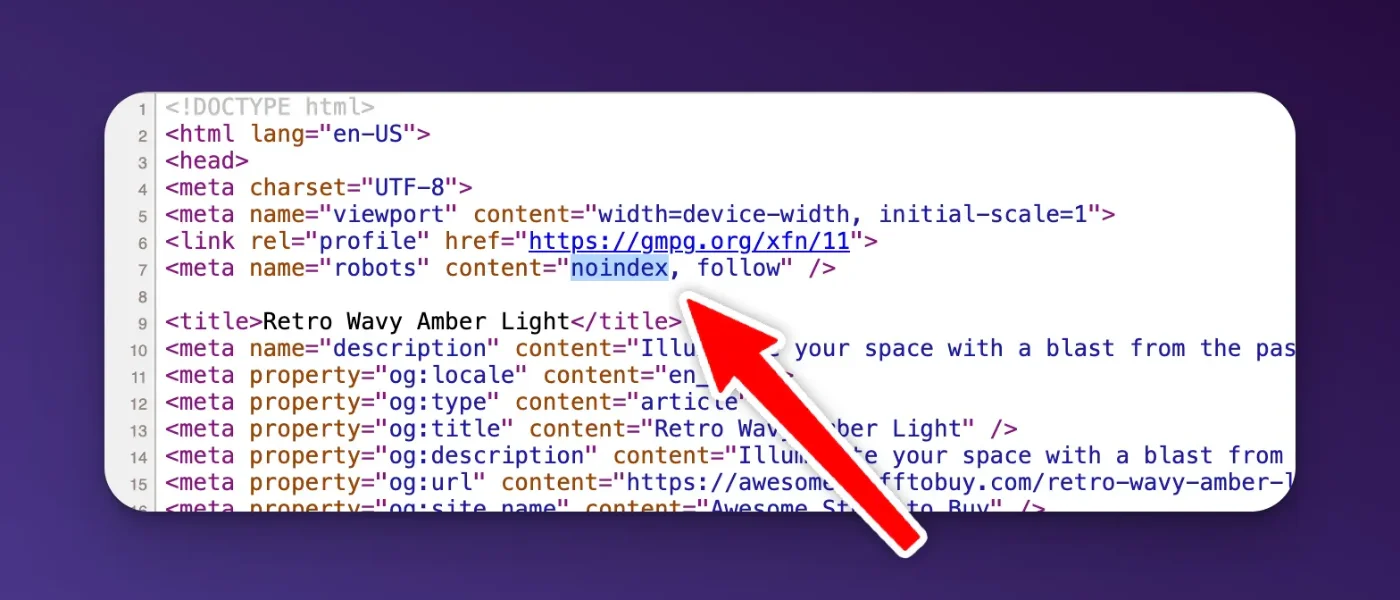
While robots.txt tells bots where they can and cannot go, a noindex tag gives a different command. It lets the bot crawl the page but tells it, “You can see this page, but do not add it to your search results database.” This tag is useful for certain pages you want to keep out of search results, like internal admin login pages, thank-you pages, or pages with sensitive information.
However, when this tag is accidentally placed on important pages, it makes them invisible to searchers. This can happen in several ways:
- HTML Meta Tag: A piece of code in the
<head>section of your page’s HTML:<meta name="robots" content="noindex"> - HTTP Header Response: A more technical method where the server sends an
X-Robots-Tag: noindexheader when the page is requested.
This is a critical SEO mistake because it directly instructs Google not to index the page, even if everything else is perfect. In platforms like WordPress, a single checkbox in your settings (often under “Reading Settings” labeled “Discourage search engines from indexing this site”) can add this tag to every single page of your website.
How to Check and Fix It
- Inspect Your Page’s Code: Go to the page you are concerned about, right-click, and select “View Page Source.” Use the find function (Ctrl+F or Cmd+F) and search for “noindex”. If you find the meta tag, you have located the problem.
- Use Google Search Console: The URL Inspection tool in Google Search Console is your best friend here. Enter the URL of the page, and it will tell you if the page is indexed. If not, it will often state the reason, such as “URL is not on Google: ‘noindex’ detected in ‘robots’ meta tag’.”
- The Fix: The solution depends on how the tag was added. If it’s a setting in your website’s content management system (CMS) like WordPress or Wix, you need to find that setting and uncheck it. If it was manually added to the HTML of a specific page, you or your developer will need to remove that line of code.
3. Poor Internal Linking: Creating Digital Dead Ends

Internal links are hyperlinks that connect one page on your website to another. They are the streets and pathways of your website. Search engine crawlers use these links to discover new pages on your site. If a page has no internal links pointing to it, it is called an “orphan page.” It’s like a house with no roads leading to it; no one can find it, including Google.
For many Cameroonian websites, especially as they grow and add more content, internal linking is often an afterthought. This leads to a disorganized site structure where important pages are buried and difficult for both users and search engines to find. This is a subtle but significant factor among the SEO mistakes hurting indexing.
A weak internal linking structure signals to Google that the unlinked pages are not important. If you do not consider a page important enough to link to from other parts of your site, why should Google?
How to Fix Your Internal Linking
- Think in Hubs and Spokes: Organize your content into main topic areas (“hubs”) and related sub-topics (“spokes”). Your main service pages or categories are your hubs. Your blog posts and detailed sub-pages are your spokes. Always link from the spokes back to the relevant hub page.
- Link Contextually: When you write new content, always look for opportunities to link to other relevant pages on your site. For example, if you are a hotel in Kribi writing a blog post about “The Best Beaches in Kribi,” you should link to your booking page or your rooms page within that post. Use descriptive anchor text (the clickable words) like “book your stay with us” instead of generic phrases like “click here.”
- Fix Orphan Pages: Use an SEO audit tool (like Screaming Frog or the site audit feature in Ahrefs/SEMrush) to find orphan pages. Once you have a list, find relevant pages on your site and add links to them. At a minimum, every page should be reachable from at least one other page.
- Create a Sitemap: While not technically an internal link, an XML sitemap is a list of all your important pages that you submit to Google. It helps Google find pages that its crawlers might have missed.
A strong internal linking strategy not only helps with indexing but also keeps users on your site longer and distributes “link equity” (ranking power) throughout your site.
4. Slow Page Load Speed: A Test of Patience
In Cameroon, internet speeds can be inconsistent across different regions and networks. This makes page load speed an even more critical factor for user experience and SEO. Google knows that users are impatient. If a page takes too long to load, people will leave. Because of this, page speed is a confirmed ranking factor, and extremely slow pages can sometimes struggle to be fully crawled and indexed.
If Google’s crawler has a limited time to spend on your site (known as a “crawl budget”) and your pages load very slowly, it may only get to a few of your pages before it leaves. This means other pages might not be discovered or revisited for a long time.
Common causes of slow page speed on Cameroonian websites include:
- Unoptimized Images: Large, high-resolution images are a primary cause of slow websites.
- Poor Quality Hosting: Choosing a cheap, unreliable hosting provider can severely impact your site’s performance.
- Bloated Code: Using too many plugins, a heavy theme, or messy code can slow things down.
How to Speed Up Your Website
- Compress Your Images: Before uploading any image to your website, use a tool like TinyPNG or Squoosh to compress it. This can reduce the file size by over 70% without a noticeable loss in quality.
- Choose a Reliable Host: Invest in good quality web hosting. While it might be tempting to go for the cheapest option, a slow host will cost you visitors and rankings in the long run. Look for hosts with servers that are geographically closer to your target audience if possible.
- Enable Caching: Caching stores a temporary copy of your site so it doesn’t have to be loaded from scratch every time someone visits. Most modern CMS platforms have caching plugins or built-in features (e.g., W3 Total Cache or WP Rocket for WordPress).
- Test Your Speed: Use Google’s PageSpeed Insights tool. It will give you a score for both mobile and desktop and provide specific recommendations on what to fix. Addressing these recommendations is a direct way to improve one of the major SEO mistakes hurting indexing.
5. Thin and Duplicate Content: Saying Nothing or Saying the Same Thing

Google wants to provide its users with unique, valuable content. Two major content issues that can harm your indexing are “thin content” and “duplicate content.”
- Thin Content: These are pages with very little or no valuable content. This could be a page with just a few sentences of text, an image gallery with no descriptions, or a page that offers no real substance. Google may see these pages as low-quality and choose not to index them to avoid cluttering its search results.
- Duplicate Content: This occurs when the same or very similar content appears on multiple pages, either on your own website or on other websites. Search engines get confused when they find the same content in multiple places. They do not know which version is the original or which one to show in search results. In many cases, they may choose not to index any of the duplicate versions.
For businesses in Cameroon, this can happen easily. A product might be listed under multiple categories with the exact same description, or a business might copy and paste service descriptions from another website. These shortcuts are tempting, but they create serious SEO mistakes hurting indexing.
How to Fix Content Issues
- Conduct a Content Audit: Go through your website page by page. For each page, ask: “Does this page provide real value to a user?” If the answer is no, you have two options: improve it by adding unique, helpful content, or delete it and redirect the URL to a more relevant page.
- Consolidate Similar Pages: If you have multiple pages that are very similar, combine them into one comprehensive “power page.” For example, if you have three separate short pages for “Taxi service in Douala,” “Airport taxi Douala,” and “Douala city cabs,” combine them into one detailed guide about your taxi services in the city.
- Use Canonical Tags: If you must have duplicate content for a valid reason (e.g., printer-friendly versions of pages), use a canonical tag (
rel="canonical"). This tag tells Google which version is the “master” copy that should be indexed. - Write Unique Descriptions: Take the time to write unique descriptions for every product and service. Think about what makes each one different and what a customer would want to know.
6. Neglecting Mobile-Friendliness in a Mobile-First Country
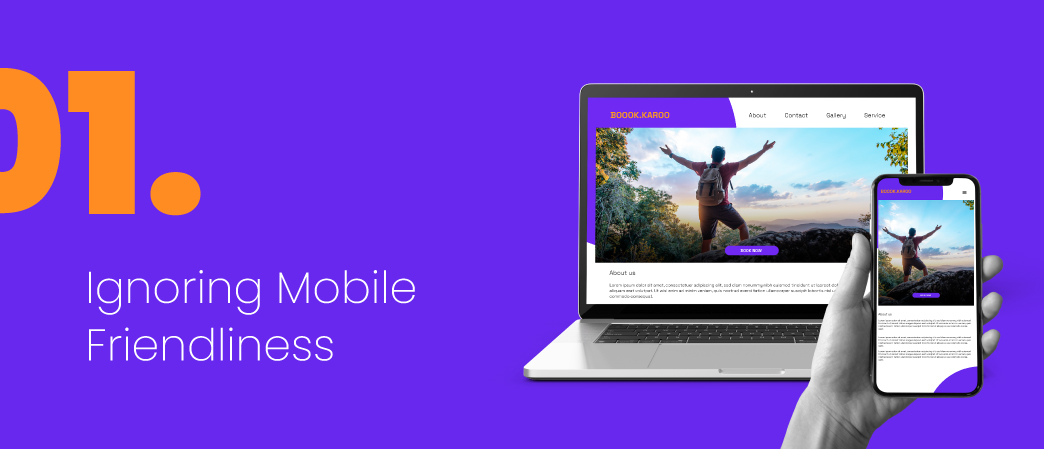
In Cameroon, the vast majority of internet users access the web through their mobile phones. It is a mobile-first, and often mobile-only, market. Because of this, Google uses “mobile-first indexing.” This means Google primarily uses the mobile version of your website for indexing and ranking.
If your website is not mobile-friendly, you are facing a massive roadblock. A site that is difficult to use on a mobile phone (e.g., text is too small, links are too close together, content requires horizontal scrolling) provides a poor user experience. Google sees this and may rank your site lower or have trouble indexing its content properly. Ignoring mobile-friendliness is one of the most critical SEO mistakes hurting indexing in the Cameroonian context.
How to Become Mobile-Friendly
- Use Google’s Mobile-Friendly Test: This free tool from Google will tell you instantly if your page is considered mobile-friendly. Just enter your URL.
- Implement a Responsive Design: A responsive website automatically adjusts its layout to fit the screen it is being viewed on. Whether it’s a large desktop monitor, a tablet, or a small smartphone, the content remains easy to read and navigate. Most modern website themes and builders are responsive by default, but you should always test it.
- Focus on the Mobile User Experience: Think about what a mobile user needs. They want information quickly. Ensure your phone number is clickable, your navigation menu is easy to use, and forms are simple to fill out on a small screen.
Given the mobile dominance in Cameroon, your mobile site is not just an alternative version; it is your primary website. Treat it as such.
7. Complex or Broken XML Sitemaps

An XML sitemap is a file that lists all the important URLs on your website. You submit this file to Google Search Console to help Google discover your pages more efficiently. It is a map you hand directly to the search engine crawler.
However, a sitemap can cause problems if it is not set up correctly. Common issues include:
- Including ‘noindexed’ URLs: If your sitemap includes pages that you have marked with a
noindextag, you are sending conflicting signals to Google. - Including Non-Canonical URLs: Your sitemap should only contain the primary (canonical) versions of your pages.
- Broken or Outdated Sitemaps: If your sitemap contains broken links (404 errors) or has not been updated after you have added or removed pages, it loses its usefulness.
- Incorrect Formatting: Sitemaps must follow a specific XML format. Any syntax errors can make the entire file unreadable.
How to Manage Your Sitemap
- Generate Your Sitemap: Most CMS platforms have plugins or built-in tools to automatically generate and update your sitemap for you (e.g., Yoast SEO or Rank Math for WordPress).
- Submit it to Google Search Console: Once you have your sitemap URL (usually
yourwebsite.cm/sitemap.xml), submit it under the “Sitemaps” section in Google Search Console. - Check for Errors: Google Search Console will report any errors it finds in your sitemap. Regularly check this report and fix any issues it flags. A clean, error-free sitemap is a clear signal to Google and helps avoid potential indexing problems.
8. Ignoring Your Crawl Budget
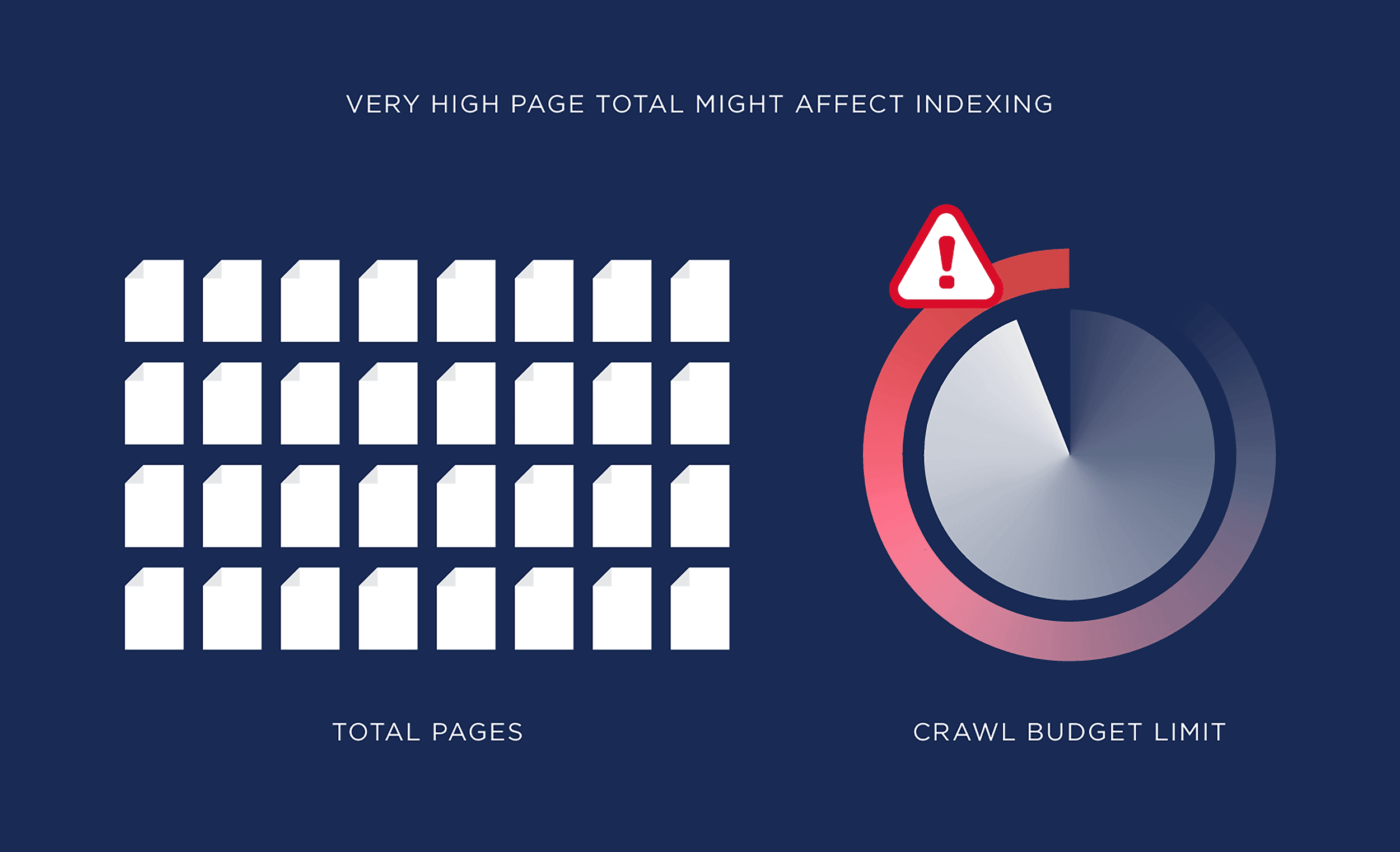
Every website is allocated a “crawl budget” by Google. This refers to the number of pages Googlebot will crawl on your site within a certain timeframe. For most small websites, crawl budget is not a major concern. However, for larger sites with thousands of pages, or for sites with many low-quality pages, it can become an issue.
If your crawl budget is being wasted on unimportant pages, it means Google might not have enough resources left to crawl your most important ones. This is another of the technical SEO mistakes hurting indexing that larger sites need to manage.
Factors that waste crawl budget include:
- Faceted Navigation: On e-commerce sites, filters (e.g., by color, size, price) can create thousands of URL variations with duplicate content.
- Infinite Scroll: Pages that load content continuously as you scroll can sometimes be difficult for crawlers to navigate.
- A High Number of Redirects: While necessary, too many redirect chains can use up crawl budget.
How to Optimize Your Crawl Budget
- Block Unimportant URLs: Use your
robots.txtfile to block crawlers from accessing URLs that do not need to be indexed, such as filtered search results or internal search pages. - Manage URL Parameters: In Google Search Console, you can use the URL Parameters tool to tell Google how to handle certain parameters to avoid crawling duplicate content.
- Maintain a Clean Site Architecture: A fast, efficient, and well-linked website is the best way to make the most of your crawl budget. Ensure your server responds quickly and you have minimized redirect chains.
By guiding Googlebot to your most valuable pages, you increase the chances that your key content is crawled and indexed promptly.
Take Control of Your Website’s Visibility
Navigating the world of SEO can feel complex, but avoiding these common pitfalls puts you far ahead of the competition in the Cameroonian market. By taking a systematic approach to fixing these SEO mistakes hurting indexing, you are not just tinkering with technical settings; you are laying a strong foundation for your business’s digital growth. A website that is properly indexed is a website that can rank, attract customers, and generate revenue.
It’s time to stop being invisible. Ask any questions you have in the comments below. Let’s work together to get your business the online attention it deserves.