


WhatsApp Plus Installation in 2026: Official Subscription vs Unofficial APK
Searching for “WhatsApp Plus installation” can lead to two very different products.
The supplied video presents WhatsApp Plus as an Android APK that users download and install separately from the standard WhatsApp application. It also promises a walkthrough of the modified app’s additional features. (YouTube)
That description reflects the way “WhatsApp Plus” was commonly used in older tutorials. However, the situation has changed significantly.
WhatsApp now uses the name WhatsApp Plus for an official optional subscription accessed from within the legitimate WhatsApp application. It is not the same as the unofficial WhatsApp Plus APK files distributed by third-party websites. (WhatsApp Help Center)
Understanding that distinction is essential before downloading, installing, or paying for anything.
What the Linked WhatsApp Plus Tutorial Shows
The linked tutorial focuses on downloading a WhatsApp Plus APK, installing it on an Android device and exploring features offered by the modified application. (YouTube)
Historically, these unofficial versions attracted users by offering customization and privacy controls that were not available in the standard WhatsApp application. Depending on the particular modification, advertised features have included themes, interface changes, expanded privacy settings, message scheduling, automatic replies and controls over read receipts.
The problem is that an APK using the WhatsApp name does not automatically come from WhatsApp or Meta. Different websites can distribute different files under the same product name, making it difficult for an ordinary user to verify the developer, code, update process or data-handling practices.
The installation method shown in an older video should therefore not be confused with the way the official WhatsApp Plus service works in 2026.
The Two Meanings of WhatsApp Plus in 2026
Official WhatsApp Plus
Official WhatsApp Plus is an optional subscription offered within the standard WhatsApp application.
WhatsApp describes it as a service that provides additional personalization and organization features. Its documented benefits include:
- Custom application themes and icons
- Exclusive ringtones
- Stickers with special effects
- The ability to pin more chats
- Additional options for customizing chat lists
Users subscribe through WhatsApp’s own settings and payment interface. No separate APK is required. (WhatsApp Help Center)
Unofficial WhatsApp Plus APK
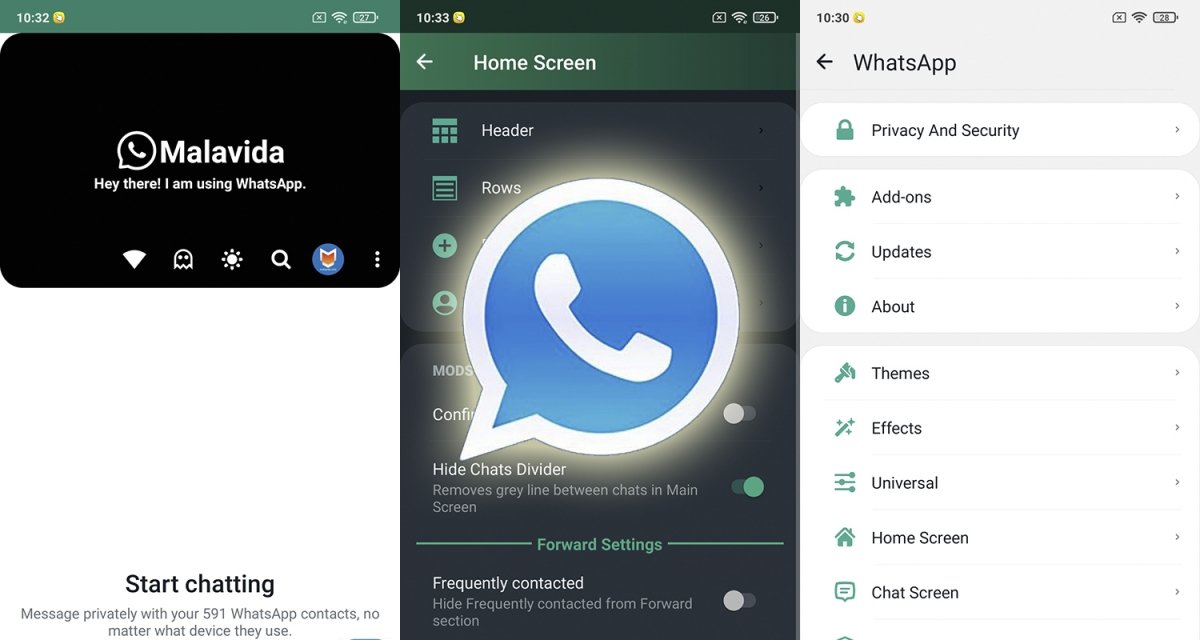
The unofficial WhatsApp Plus APK is a modified application developed and distributed by third parties.
WhatsApp’s Help Center identifies WhatsApp Plus as one example of an unofficial application. It explains that unofficial apps are developed by third parties and are not supported by WhatsApp. (WhatsApp Help Center)
These files are usually downloaded from websites rather than through WhatsApp’s official app-store listings. They should not be mistaken for the official subscription, even when a website uses words such as “official,” “latest,” “anti-ban” or “secure.”
How to Access the Official WhatsApp Plus Subscription
The legitimate service is activated from inside WhatsApp rather than installed as a new application.
WhatsApp’s documented subscription process is:
- Open the official WhatsApp application.
- Go to Settings.
- Select Subscriptions.
- Tap WhatsApp Plus.
- Select Continue.
- Review the payment information and confirm the purchase.
These steps come directly from the WhatsApp Help Center. (WhatsApp Help Center)
When the WhatsApp Plus option does not appear under Subscriptions, it may not yet be available for that account, device or market. Users should not respond by downloading a similarly named APK from an unrelated website.
Instead, they should keep the official WhatsApp application updated through Google Play or Apple’s App Store and check the Subscriptions section again later.
Official WhatsApp Plus Features Explained

Custom Themes and Application Icons
Subscribers can personalize the appearance of WhatsApp with exclusive colors, themes and icon designs.
This gives users more visual control without replacing the official app or transferring their messages to an unsupported client. (WhatsApp.com)
Additional Pinned Chats and List Customization
WhatsApp Plus offers more ways to organize frequently used conversations. Users can pin additional chats and customize lists to make important personal, family or work conversations easier to find. (WhatsApp.com)
This can be particularly useful for people managing a large number of groups, customers or professional contacts.
Exclusive Ringtones
Subscribers can assign exclusive ringtones to important contacts. This can help users identify priority calls without looking at their phones. (WhatsApp.com)
Special-Effect Stickers
The subscription also includes exclusive stickers with additional visual effects. These features focus primarily on expression and personalization rather than changing WhatsApp’s core messaging service. (WhatsApp Help Center)
Why Unofficial WhatsApp Plus APKs Carry More Risk
Your Account Could Be Restricted
WhatsApp warns users against unofficial applications. Its guidance states that linking an account to an unofficial app or website may result in a temporary or permanent account ban. (WhatsApp Help Center)
Claims that a particular APK is “anti-ban” should not be treated as a guarantee. A third-party developer cannot control WhatsApp’s account enforcement systems.
The Developer May Be Difficult to Verify
With an official application, users can identify the publisher, review app-store information and receive updates through an established distribution system.
An APK downloaded from an unrelated website may have been modified, repackaged or replaced. Even when the application appears to work normally, users may have limited visibility into how it handles contacts, media, credentials, messages or device permissions.
WhatsApp specifically advises users not to use unofficial versions because they are developed by third parties and violate its terms. (WhatsApp Help Center)
Updates May Not Be Reliable
Messaging services change frequently. An unofficial app may stop working after a server update, require another manual APK download or direct users to a different download website.
This creates operational risks for users who depend on WhatsApp for customer conversations, order confirmations, appointments or internal business communication.
Android May Flag or Block the File
Google Play Protect checks applications installed from Google Play as well as potentially harmful apps obtained from other sources. It can warn users, block an unverified installation, disable an application or remove software identified as harmful. (Google Help)
Disabling Play Protect to force an APK installation removes an important layer of device security. Google recommends keeping Play Protect enabled.
Safer Installation Guidance for Android Users
Android users who simply want WhatsApp should install or update the official application through Google Play or WhatsApp’s official Android download page.
As of June 25, 2026, WhatsApp supports Android 5.0 and newer. WhatsApp has also announced that, beginning September 8, 2026, Android 6 or newer will be required. (WhatsApp Help Center)
Before installing an application carrying the WhatsApp name, users should check:
- Whether the application comes from an official WhatsApp listing
- Whether the publisher is WhatsApp
- Whether the feature is accessed inside the existing app
- Whether the installation requires disabling Android security controls
- Whether the website is asking for an APK, unusual permissions or account credentials
An official WhatsApp Plus subscription does not require users to uninstall the normal WhatsApp application or enable installation from unknown sources.
What Existing Unofficial APK Users Should Consider
Anyone currently using an unofficial WhatsApp client should prioritize account continuity and data security.
The safest direction is to return to an official WhatsApp application obtained through an approved distribution channel. Users should be cautious when following third-party migration instructions because backup and restoration methods used by modified applications may not be supported by WhatsApp.
They should also review their device for unfamiliar applications, keep Google Play Protect enabled and check the permissions granted to applications that can access contacts, files, messages, cameras or microphones.
WhatsApp users who receive an account warning should follow the instructions displayed by the official application or consult the WhatsApp Help Center rather than downloading another modified version.
Why the Difference Matters for Small Businesses
The risks are greater when a WhatsApp account is connected to a business.
A temporary or permanent restriction could interrupt customer service, lead generation, appointment scheduling and order management. Installing an unverified messaging application may also expose customer contact information or commercially sensitive conversations.
Small businesses should use the official WhatsApp Business application, which WhatsApp describes as a free app developed for small-business owners. It includes tools for showcasing products, responding to customers and managing business communication. (WhatsApp Help Center)
Businesses interested in premium personalization should only subscribe through options shown inside the official application. They should not install a third-party APK simply because it promises additional automation, privacy controls or customization.
Official WhatsApp Plus vs WhatsApp Plus APK: The Key Takeaway
The name “WhatsApp Plus” no longer refers to only one product.
In 2026, the legitimate WhatsApp Plus is an optional subscription accessed inside WhatsApp. It offers themes, icons, ringtones, stickers and additional chat-organization features. (WhatsApp.com)
The separate WhatsApp Plus APK featured in older installation tutorials is an unofficial third-party modification. WhatsApp does not support these applications and warns that using unofficial clients can create security and account-enforcement risks. (WhatsApp Help Center)
Users searching for WhatsApp Plus installation should therefore avoid random APK download pages. The correct route is to install the official WhatsApp application, open Settings, check Subscriptions, and activate WhatsApp Plus from there when the option is available.


