


How to Stop Meta AI Using Instagram Photos: Opt-Out Guide
Meta’s new AI image-generation tools have triggered fresh privacy concerns after reports that public Instagram photos can be used in AI-generated images unless users manually opt out.
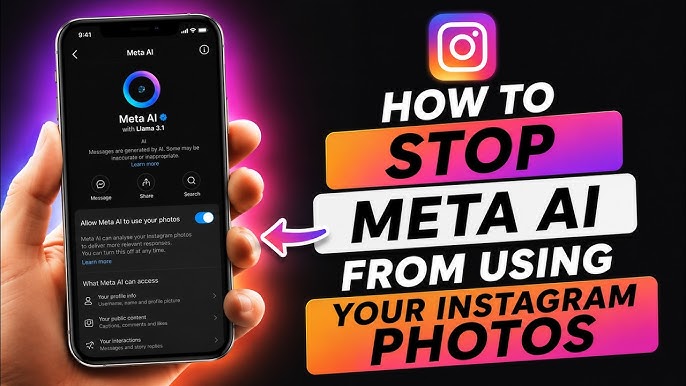
The issue is connected to Muse Image, Meta’s new image-generation model. Reports say the feature can let people generate images using public Instagram content by referencing or mentioning an account, raising questions about consent, likeness rights and how much control users have over their own photos.
For creators, influencers, photographers, businesses and anyone with a public Instagram account, the most important question is practical: how do you stop Meta AI using Instagram photos?
The good news is that Instagram includes an opt-out setting. The less reassuring part is that users have to find and disable it themselves.
What Is Meta’s Muse Image Feature?
Muse Image is Meta’s AI image-generation model, designed to create and edit images across Meta’s apps and AI tools.
The feature can generate new visuals from prompts, use image inputs and support AI-powered editing. It is part of Meta’s broader push to place generative AI inside products such as Meta AI, Instagram, WhatsApp and eventually other Meta surfaces.
The controversy centers on how public Instagram content can be reused in AI features. Reports say public adult Instagram accounts may be included by default, allowing others to use public posts, reels or profile content in AI-generated images unless the account owner disables the setting.
That means users with public profiles should not assume their existing Instagram content is automatically excluded from AI reuse.
Who Is Affected?
The setting mainly matters for Instagram users with public accounts.
Reports indicate that private accounts and under-18 accounts are excluded from this reuse feature, while public adult accounts may be included by default.
This is especially relevant for:
- Creators and influencers
- Photographers and visual artists
- Models and public figures
- Small businesses
- Brand accounts
- Coaches and consultants
- Anyone who posts personal photos publicly
- Parents who share family images on public profiles
Even if you are not a creator, the feature may matter if your face, work, brand, product, home, children or customers appear in public Instagram posts.
How to Stop Meta AI Using Instagram Photos
To stop Meta AI using Instagram photos, users need to turn off the relevant setting inside Instagram.
The reported steps are:
- Open the Instagram app.
- Go to your profile.
- Tap the three horizontal lines in the top-right corner.
- Open Settings and activity.
- Scroll to Sharing and reuse.
- Find the setting that says “Allow people to use your content on Instagram with AI features on Meta.”
- Toggle the setting off for posts and reels.
Some reports say there may be separate controls for posts, reels and original audio, so users should review the full “Sharing and reuse” section rather than disabling only one option.
What the Opt-Out Setting Does
Turning off the setting is intended to prevent other people from using your Instagram content with Meta’s AI features.
That may include stopping others from referencing your public content when generating AI images through Meta tools.
However, the opt-out may not remove AI-generated images that were already created before you changed the setting. Reports also say users may not be notified when their content is used in AI generation.
That makes it important to act early if you do not want your public Instagram photos used in this way.
Why This Has Raised Privacy Concerns
The privacy concern is not only that Meta has launched an AI image tool. The concern is the default setting.
Privacy experts and critics have objected to public adult accounts being included by default rather than requiring users to opt in. The Guardian reported concerns from privacy advocates who argue that users should give explicit consent before their public photos are used in AI-generated images.
There are several risks.
Likeness Misuse
If a person’s public photos can be used as part of AI-generated images, their likeness could appear in contexts they did not approve.
This is especially sensitive for creators, public figures and professionals whose image is tied to reputation and income.
Brand Safety Issues
Businesses may not want their products, employees, storefronts or customers used in AI images outside their control.
A brand’s public Instagram content may be marketing material, but that does not mean the company wants it reused in unpredictable AI outputs.
Context Collapse
A photo posted for one purpose may be reused in a completely different AI-generated context.
That can create reputational harm even if the original post was public.
Lack of Notification
Reports indicate that users may not be notified when their public content is used in Meta AI image generation.
That limits a user’s ability to monitor or challenge uses they dislike.
Why Creators Should Review the Setting Immediately
Creators should treat this as a content rights and reputation issue.
If you use Instagram professionally, your photos are not just casual posts. They may be part of your portfolio, personal brand, sponsorship value or commercial identity.
Influencers, photographers, artists, models and public-facing professionals should review the setting and decide whether AI reuse aligns with their business goals.
For many creators, the safest default is to opt out unless there is a clear reason to allow reuse.
What Businesses Should Do
Small businesses and brand accounts should also review the setting.
Even if a business wants visibility, uncontrolled AI reuse can create problems. Product photos, employee images, customer photos, event pictures and branded creative may be used in ways the business did not approve.
Businesses should:
- Check whether their Instagram account is public.
- Review the “Sharing and reuse” setting.
- Turn off AI reuse if brand control is a priority.
- Avoid posting customer images without clear permission.
- Create internal rules for AI-generated content.
- Monitor brand mentions and public content reuse.
- Educate social media managers about the setting.
This is especially important for companies in regulated or trust-sensitive sectors, such as health, finance, legal services, education and childcare.
Should You Make Your Instagram Account Private?
Making your account private can reduce exposure, but it may not be the right move for creators or businesses that rely on public discovery.
Private accounts are reportedly excluded from this AI reuse feature, but businesses and creators often need public visibility for growth.
For most professional accounts, the better first step is to review the AI reuse setting and turn it off if needed.
If your Instagram account is personal and you do not need public reach, switching to private may provide another layer of control.
Does Opting Out Stop Meta From Training AI on Your Data?
This specific setting appears to relate to people using your Instagram content with Meta AI features, not necessarily every possible use of data for AI training.
That distinction matters.
Meta has faced broader scrutiny over how it uses public content for AI systems, but the “Sharing and reuse” setting discussed in recent reports is focused on whether other people can use your content in Instagram AI features.
Users concerned about AI training, ad targeting or broader data use should review Meta’s privacy settings, regional privacy rights and account-level controls separately.
Practical Privacy Checklist for Instagram Users
Anyone concerned about AI reuse should take the following steps:
1. Turn Off AI Content Reuse
Go to Instagram’s Sharing and reuse settings and disable the option that allows people to use your content with AI features on Meta.
2. Review Your Public Posts
Look at your public posts, reels and tagged content. Remove anything you would not want reused, remixed or surfaced in an AI context.
3. Check Tagged Photos
Review photos where others have tagged you. Your own account settings may not control every image of you posted by someone else.
4. Avoid Posting Sensitive Images Publicly
Do not post children, private locations, documents, customer faces or sensitive work materials on a public account unless there is a strong reason.
5. Create Separate Personal and Business Accounts
Creators and business owners may benefit from keeping personal images separate from public-facing brand content.
6. Monitor Future Settings Changes
Platforms regularly update privacy and AI controls. Review Instagram settings periodically, especially after major AI feature launches.
Why This Matters Beyond Instagram
Meta’s AI image setting is part of a larger trend: public social media content is becoming raw material for AI-powered creative tools.
As AI image and video generation become more common, users will need to think differently about what it means to post publicly.
A public photo is no longer only something that can be viewed, liked or shared. It may also become an input for a generated image, a style reference or part of a personalized AI output.
That changes the privacy calculation for everyone, especially people who use social media for work.
Conclusion: Review Your Instagram AI Settings Now
Meta’s Muse Image rollout has made Instagram privacy settings more important for anyone with a public account.
If you want to stop Meta AI using Instagram photos, go to Settings and activity, open Sharing and reuse, and turn off the option that allows people to use your content with AI features on Meta.
This is not only a technical setting. It is a decision about consent, identity and control over your digital presence.
Creators, businesses and everyday users should not wait until their images are used in ways they did not expect. Review the setting now, tighten your public content strategy and treat AI reuse as part of your broader social media privacy routine.


