


Meta Ads Account Audit: CPL Diagnostics to Stop Budget Leaks
When cost per lead rises, many advertisers react too quickly.
They pause campaigns, cut budgets, duplicate ad sets, change audiences, rewrite copy, or blame Meta’s algorithm before identifying the actual leak.
That is dangerous because CPL is only the final symptom. The real issue may be happening earlier in the funnel.
A high CPL can come from low thumb-stop power, weak click intent, expensive traffic, poor landing-page load rates, confusing forms, low trust, bad lead quality, or an unstable bidding setup. A proper Meta ads account audit separates those layers one by one.
Start With the CPL Equation
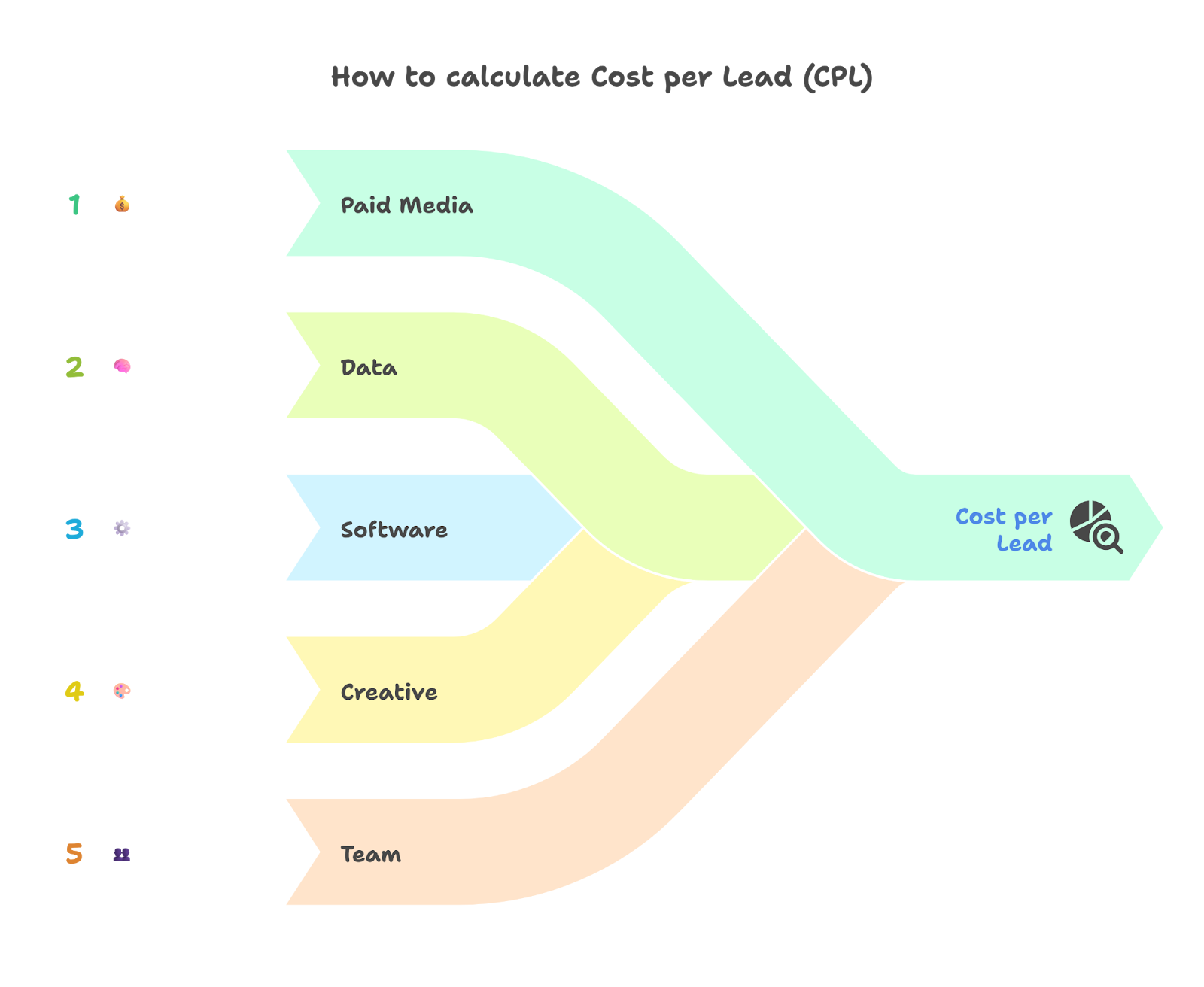
Cost per lead is built from several smaller metrics:
Spend → impressions → clicks → landing-page views → form starts → leads → qualified leads
If you only inspect the final CPL number, you cannot tell where performance broke.
For example, a campaign with strong click-through rate but weak form conversion does not have the same problem as a campaign with poor ad engagement. The first may need landing-page or form work. The second may need creative repositioning.
Your audit should begin by comparing three numbers:
Cost per 1,000 impressions
Cost per outbound click or landing-page view
Lead conversion rate after the click
This separates media-cost pressure from conversion-path failure.
1. Check Whether the Problem Is Front-End or Back-End
Front-End Leak: People Are Not Responding to the Ad
A front-end problem appears when impressions are being delivered but few people engage meaningfully.
Signs include:
- Low click-through rate
- High cost per click
- Poor engagement rate ranking
- Weak hook performance
- Low video hold rate
- High frequency with declining response
- Strong spend but few outbound clicks
This usually points to weak creative, poor offer framing, audience fatigue, or low relevance.
The fix is not always a new audience. Often, the audience is capable of converting, but the ad is not making the problem urgent or specific enough.
Back-End Leak: People Click but Do Not Convert
A back-end problem appears when people click the ad but do not become leads.
Signs include:
- Large gap between link clicks and landing-page views
- Strong landing-page views but few form starts
- Many form starts but few submissions
- Many leads but poor sales qualification
- High bounce rate or low page engagement
- Repeated customer objections after submission
Meta explains that landing page views count people who clicked an ad and successfully loaded the destination, while link clicks can include broader link interactions. That distinction matters because a campaign may appear to generate traffic while many users never actually reach the page.
If the landing-page-view rate is weak, inspect page speed, mobile load behavior, tracking setup, and whether the destination matches the ad promise.
2. Audit Tracking Before Making Optimization Decisions
Do not diagnose CPL until you confirm that the lead event is firing correctly.
Check:
- Pixel event configuration
- Conversion API setup where applicable
- Instant Form submission tracking
- CRM lead imports
- Duplicate lead handling
- UTM naming consistency
- Attribution window changes
- Thank-you page or form-submit event logic
Google Analytics explains how it collects and reports campaign and traffic-source data through campaign parameters and source information. Use Google Analytics campaign tracking documentation to confirm that Meta traffic is not being mixed with direct, referral, or untagged campaign traffic.
For lead-generation accounts, also compare Meta-reported leads against CRM records. If Ads Manager shows 80 leads but the CRM received 52 usable records, your real CPL is higher than the platform report suggests.
3. Read Meta’s Ad Relevance Diagnostics Properly
Meta’s ad relevance diagnostics help diagnose underperforming ads across three dimensions: Quality Ranking, Engagement Rate Ranking, and Conversion Rate Ranking. Meta’s own guidance says these diagnostics should be used to diagnose ads that are not meeting objectives, not as standalone optimization goals. You can review the official Meta Ad Relevance Diagnostics guide.
Quality Ranking
Quality Ranking compares your ad’s perceived quality with ads competing for the same audience. A weak score may suggest clickbait, low-quality visuals, poor post-click experience, or negative user signals. Meta’s Quality Ranking documentation explains how this diagnostic fits inside relevance analysis.
Fix this by improving visual credibility, removing exaggerated claims, matching the landing page to the ad, and making the offer feel trustworthy.
Engagement Rate Ranking
Engagement Rate Ranking compares expected engagement with ads competing for the same audience.
If this is weak, the creative is not earning attention. Improve the opening line, first three seconds, visual contrast, format, audience-specific problem, and offer clarity.
Conversion Rate Ranking
Conversion Rate Ranking compares your ad’s expected conversion rate with ads targeting the same objective and audience. Meta’s Conversion Rate Ranking documentation frames this as part of diagnosing why an ad may underperform after delivery.
If engagement is strong but conversion ranking is weak, inspect audience intent, landing-page trust, form friction, pricing, and lead qualification.
4. Diagnose Landing Page and Form Friction
When clicks are present but leads are expensive, audit the conversion path.
Landing Page Checks
Ask:
- Does the headline match the ad promise?
- Is the offer visible above the fold?
- Is the page fast on mobile?
- Is the form easy to find?
- Is pricing or next-step clarity missing?
- Are testimonials or trust signals visible?
- Does the page ask for too much too early?
A visitor from Meta is usually interrupt-driven. They did not open Facebook or Instagram to complete a long application. The page must continue momentum quickly.
Instant Form Checks
For Meta Instant Forms, review whether the form is optimized for volume or quality.
A More Volume form may reduce CPL while increasing accidental or unqualified submissions. A Higher Intent form, screening questions, and confirmation steps can raise CPL but improve sales efficiency.
Your audit should compare:
Cost per submitted lead
Cost per valid contact
Cost per qualified lead
Cost per booked appointment
A cheaper lead source is not cheaper if sales reps waste time calling people who cannot buy.
5. Identify Creative-Level Budget Leaks
Campaign averages hide bad assets.
Break performance down by:
- Ad
- Creative format
- Hook
- Primary text
- Offer angle
- Placement
- Device
- Age or region where relevant
- Landing page
- Form version
Look for spend concentration without proportional lead output.
For example, one video may spend 55 percent of the ad set budget but produce only 20 percent of qualified leads. Another ad may have higher CPL but better appointment quality.
Do not judge creative only by platform leads. A serious audit connects ad IDs to CRM outcomes.
6. Evaluate Bid Strategy: Highest Volume vs Cost Control
Bid strategy should match your data maturity and business constraint.
Meta states that Highest Volume aims to get the most results possible from your budget. This is often useful when you need delivery, learning, and baseline performance data.
Meta’s broader bid strategy documentation explains that Highest Volume and Highest Value prioritize spending the budget, while cost-per-result or ROAS goal strategies are used when advertisers want to keep average cost or return near a target.
Use Highest Volume When
Use Highest Volume when:
- The account lacks stable conversion history
- You are testing new creative
- You need enough data to establish benchmarks
- CPL can fluctuate while learning
- Budget delivery matters more than strict cost control
This strategy gives Meta more room to find conversions, but it may allow CPL to rise when competition or audience quality shifts.
Use Cost Control When
Meta’s cost per result goal documentation explains that this bid strategy helps maximize results while controlling average cost. It may spend more slowly than Highest Volume, especially when the target is too tight.
Use a cost target when:
- You know your acceptable CPL
- You have enough conversion volume
- You can tolerate slower delivery
- You need more predictable acquisition economics
- The campaign has already proven its creative and funnel
Do not use cost control to rescue a weak offer. If the ad, audience, and landing page are not converting, a cost cap may simply restrict delivery rather than solve the problem.
7. Apply the Correct Fix Based on the Leak
Use this diagnostic path:
High CPM + weak quality ranking: improve creative credibility, audience fit, and post-click experience.
Low CTR + weak engagement ranking: rewrite hooks, test stronger visuals, sharpen the pain point, and simplify the offer.
Good CTR + low landing-page views: fix page speed, link errors, mobile load issues, or click quality.
Good landing-page views + low form starts: improve above-the-fold clarity, offer relevance, trust signals, and form visibility.
Good form starts + low submissions: reduce unnecessary fields, clarify the value exchange, or test a higher-intent form structure.
Many leads + poor sales quality: add screening questions, qualify in the ad copy, integrate CRM feedback, and optimize toward qualified outcomes.
Stable lead quality + unstable CPL: review auction pressure, fatigue, budget changes, bid strategy, and campaign learning status.
8. Build a Weekly CPL Audit Rhythm
A useful Meta ads account audit should happen weekly, not only when performance collapses.
Review:
- Spend by campaign, ad set, and ad
- CPL and qualified CPL
- CTR, CPC, CPM, and landing-page-view rate
- Quality, engagement, and conversion diagnostics
- Lead-to-qualified-lead rate
- CRM rejection reasons
- Frequency and creative fatigue
- Bid strategy delivery
- Budget pacing
Then make one controlled change at a time. If you change creative, audience, landing page, form, and bidding in the same week, you lose the ability to identify which adjustment worked.
Stop Guessing Where the Budget Is Leaking
A high CPL is not a diagnosis. It is a warning light.
Your job is to determine whether the leak is happening before the click, after the click, inside the form, inside the CRM, or inside the bidding system.
Start with the funnel math. Read Meta’s relevance diagnostics carefully. Compare link clicks with landing-page views. Separate submitted leads from qualified opportunities. Then choose the bid strategy that matches your level of data and cost discipline.
The accounts that reduce acquisition cost consistently are not the ones making the most frantic edits. They are the ones that know exactly which part of the funnel is bleeding budget before they touch the campaign.


